Проекция стринга

-
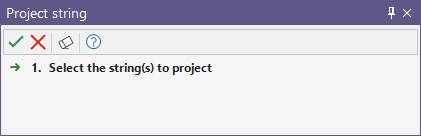
Выберите стринг для проецирования и нажмите Принять, чтобы открыть форму Проекция стринга.
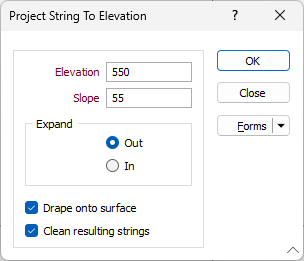
Данный инструмент отличается от инструмента Спроецировать на высоту, расположенного в панели инструментов Проектирование карьеров, который работает со стрингом карьера, основанным на параметрах карьера и указанной высоте.
Режим проекции
Параметры режима проекции определяют, следует ли проецировать стринг на указанную высоту или на заданное расстояние.
На высоту
Выберите этот параметр, чтобы спроецировать стринг на основе введенных вами значений высоты и уклона, а также указанного вами направления расширения.
По расстоянию
Выберите этот параметр, чтобы спроецировать стринг на основе введенных вами значений расстояния и уклона, а также указанного вами направления расширения.
Высота
Укажите высоту проекции стринга в соответствующем поле.
Уклон
Введите угол уклона проекции стринга в градусах. Значение должно быть в диапазоне от 0 до 90 градусов.
Расширение
Параметры расширения определяют, следует ли проецировать стринг наружу или внутрь в соответствии с указанными значениями Высоты/Расстояния и Уклона.
Авто-скругление
Опция Авто-скругление, применяет любой радиус скругления, необходимый для определения дуги кривой. Острые углы автоматически сглаживаются, поэтому в некоторых случаях может быть предпочтительно отключить эту опцию.
Предварительный просмотр
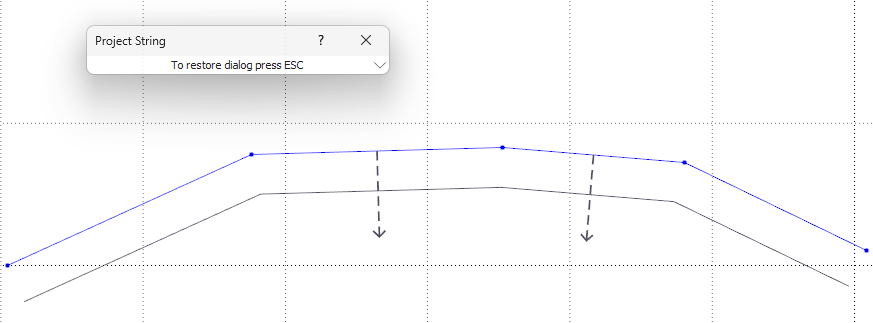
Нажатие кнопки Предварительный просмотр свернет форму «Стринг» и отобразит предварительный просмотр направления для настроенной проекции:
Формы
Нажмите на кнопку Формы, чтобы выбрать и открыть сохраненный набор форм или, если набор форм был загружен, сохранить текущий набор форм.
Управление
Чтобы сохранить определенные вами типы, атрибуты и имена и повторно использовать их в других функциях, нажмите кнопку Управление, чтобы создать набор форм или загрузить существующий набор форм.
Сохранить
Нажмите на кнопку Сохранить, чтобы сохранить внесенные вами изменения в виде набора форм по умолчанию.
Сохранить как
Нажмите на кнопку Сохранить как, чтобы сохранить внесенные вами изменения в виде нового набора форм.
Сброс
Используйте опцию Сброс, чтобы очистить все значения и сбросить все настройки до состояния "по умолчанию".
ОК
В завершение, нажмите на кнопку Запустить, чтобы спроецировать стринг или стринги.