Generate Single Offset Drillhole

Until you enter Edit Ring mode and select a ring, drillholes will not be displayed unless the option to Display hole numbers is selected on the Drillhole Labels tab of the Ring Design form.
To add a drillhole which is relative to another hole:
- On the Mining | Ring Design tab, in the Edit group, click Edit Ring to enter Edit Ring mode. If no ring is selected, the Selection Assistant will prompt you to select the ring you want to edit.

The orientation of the display will change so that it is orthogonal to the selected ring plane. If drillholes already exist on the current ring, they will be displayed.
- On the Mining | Ring Design tab, in the Drillhole group, select Generate Single Offset Drillhole:
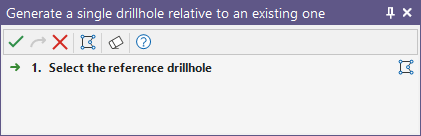
- If no hole is selected, you will be prompted to select one:
- Select a Spacing option on the Relative Distance page of the Generate Single Offset Drillhole form.
The toe spacing is expressed in
metres. See: Hole spacing algorithms
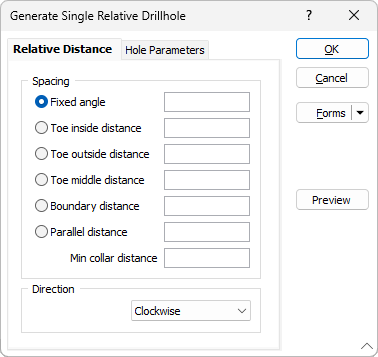
When non-parallel holes are generated, you can specify a minimum collar spacing which is the minimum distance between the holes along the DRIVE boundary. If the calculated distance is less than the minimum collar spacing, the minimum is applied instead.
Specify the clockwise or anti-clockwise Direction in which the new hole will be generated
- The Spacing option you select will determine how the parameters on the Hole Parameters page of this form are calculated.
If the pivot point is repositioned outside the drive, an error message will be displayed and you will be prompted to re-specify the spacing distance and direction of the hole.