Hole spacing algorithms
The following spacing algorithms can be applied when generating holes for a single angled fan or multiple angled fans.
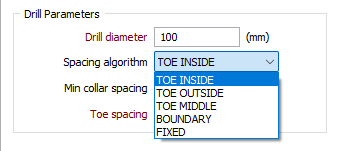
Enter the Drill diameter of the hole in millimetres.
For a single fan generated using the Generate Fan tool, unless you select FIXED as the spacing algorithm, the hole angle will differ for each hole based on the specified toe spacing, and spacing algorithm.
Note: The FIXED spacing algorithm does not apply for multiple fans generated using the Generate Multiple Fans tool.
When non-parallel holes are generated, you can specify a minimum collar spacing which is the minimum distance between the holes along the DRIVE boundary. If the calculated distance is less than the minimum collar spacing, the minimum is applied instead.
|
Algorithm |
Description |
|---|---|
| TOE INSIDE | The toe spacing represents the perpendicular distance from the end of an existing hole to the subsequent hole. |
| Hole length is taken into account and the direction in which the distance between the holes is measured is always from the shorter hole. | |
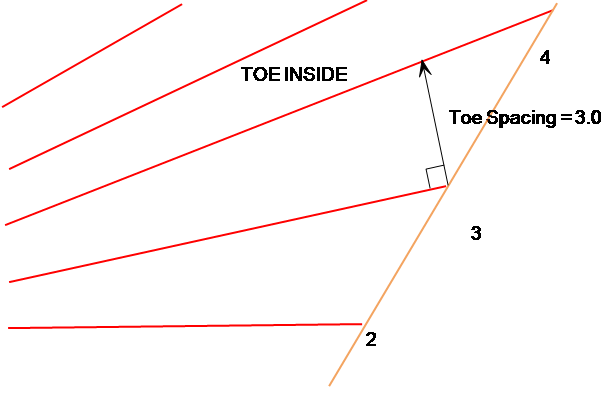
|
|
| TOE OUTSIDE | The toe spacing represents the perpendicular distance from a construction line extending from the end of a hole beyond the ring outline, to the location of the toe of the subsequent hole: |
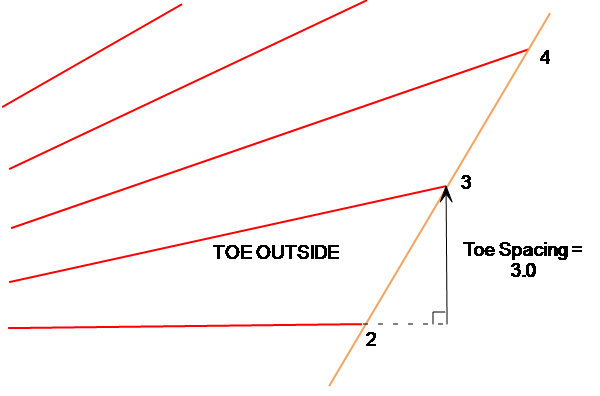
|
|
| TOE MIDDLE | The toe spacing represents the distance measured at right angles to a hole and straddling the ring outline. |
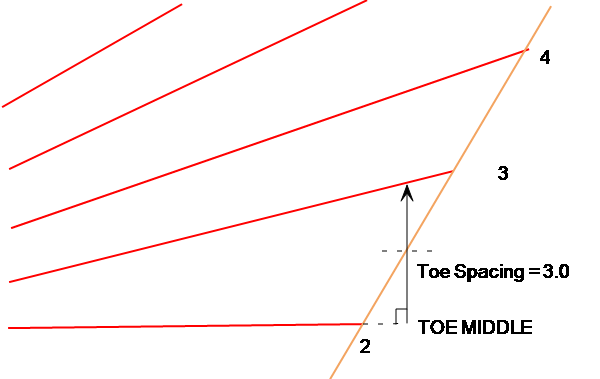
|
|
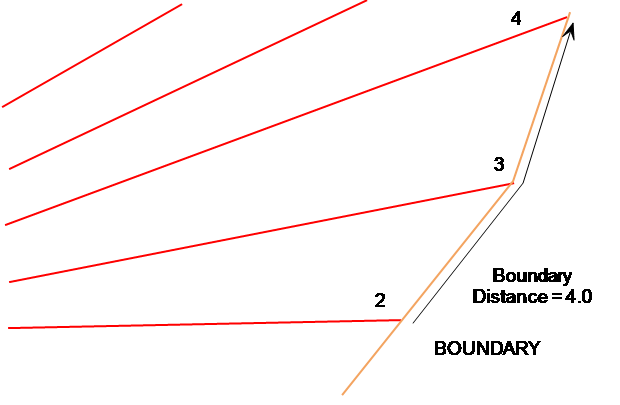
| BOUNDARY | The boundary distance represents the distance, along the ring boundary from the existing hole, that is used to calculate the position of the new hole. |
|
|
| FIXED | For a single fan generated using the Generate Fan tool, the FIXED spacing algorithm uses a fixed angle to space all new drillholes. |
|
|
Note: The FIXED spacing algorithm does not apply for multiple fans generated using the Generate Multiple Fans tool. |