Z Values
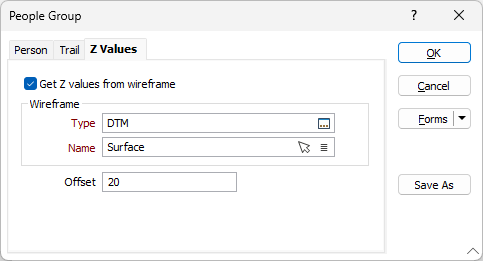
Get Z values from wireframe
Select this option if you want to spatially position the symbols using the RL or Z coordinates of an associated topographic or pit surface wireframe.
Wireframe Type
Select one of the wireframe types in the current project by double-clicking in the Wireframe Type input box. A wireframe type is a name used to categorise a wireframe.
Wireframe Name
Having selected a type, double-click in the Wireframe Name input box and select the name of the wireframe you want to use to modify the spatial position the symbols.
You can also use the Pick from Vizex button (or select the context menu option where available) to collapse the form and interactively select the required Wireframe to insert and return to the form.
Offset
Enter the distance each symbol will be offset in the Z direction (in grid units). An offset value can be used to provide a clearer indication of the relative position of symbols that might otherwise be obscured by features such as a wireframe or block model.