Zone Group
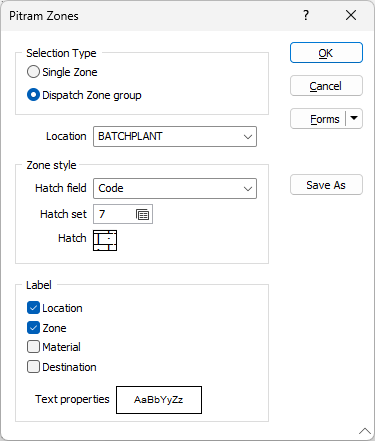
Use the Pitram Zones tab to select a single zone or a Dispatch group to be displayed and configured for the Zone Group layer.
Selection Type
Use the available options to select whether the display is a Single Zone or a Dispatch Zone group.
Zone / Location
Select the Zone for a Single Zone display, or the Location for the Dispatch Zone group display from the drop down.
Zone Style
The Zone Style options are used to select the Hatch display settings for the layer.
Hatch Field
Specify the field in the input file which contains values that determine the Hatch displayed for the zone/location.
Hatch Set
Optionally, double click (F3) to select the hatch set that will be used to select a Hatch pattern to display the zone/location. The hatch set maps hatch pattens to text strings or numeric ranges. This determines the hatch pattern displayed for each value in the selected Hatch field. Right click (F4) to create or edit a hatch set.
Hatch
Double click the Hatch box to open the set and select a hatch pattern for the zone/location display.
Label
Use the options in the Label section to select the elements to be labelled for the displayed zone/location - Location, Zone, Material and Destination.
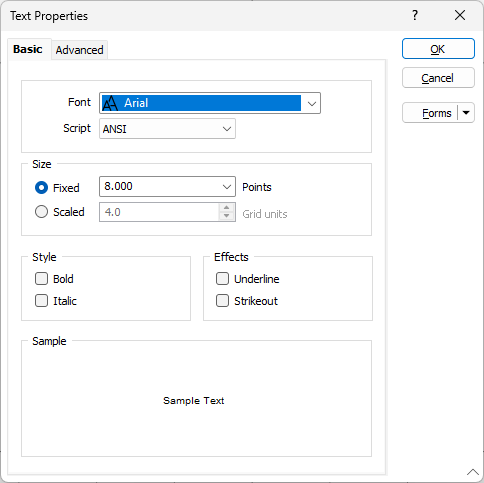
Double click the Text Properties preview to select a font to be used to display the text annotation.
Position
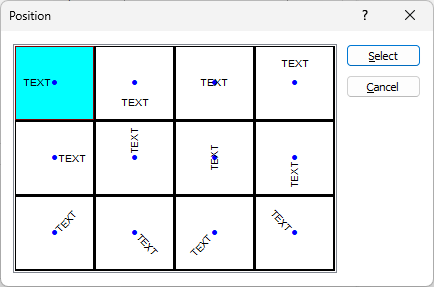
Position the point annotation. Annotation can be located at one of twelve positions around the point. Double-click (F3) to open the dialog box from where you can select a suitable position.