Поменять полярность

При выборе структурного диска, он будет «инвертирован», если нажать на значок Инвертировать полярность. Повторное нажатие значка снова инвертирует полярность.
Если нужно инвертировать полярность нескольких дисков,
-
Выберите их с помощью CTRL + клик, затем нажмите Инвертировать полярность ИЛИ
-
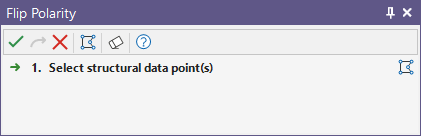
Нажмите значок Инвертировать полярность без выбранных точек, чтобы открыть ассистент Инвертировать полярность Ассистент выбора .
Также вы можете оцифровать необходимые объекты с помощью кнопки на панели инструментов Помощника выбора. Окно помощника выбора закроется, предоставив доступ к инструментам создания объекта.
-
Используйте CTRL + клик, чтобы выбрать диски, полярность которых нужно инвертировать, и нажмите кнопку Принять выбор в ассистенте.
Вы увидите, что полярность была изменена на диске, о чём свидетельствует изменение цвета фронтальной поверхности.

Значение полярности для выбранной точки(ек) отображается в панели свойств.
