Условное моделирование
В этом
 Lithology
Структурные ленты модели интрузии
Параметры Структурные ленты, включая поле Полярность, добавлены на вкладку «Входные точки» формы Моделирование литологии интрузий на вкладке Условное, в группе Литология.
При включении и настройке эти параметры позволяют задать ограничения процесса моделирования так, чтобы поверхность модели совпадала с заданными структурными лентами.
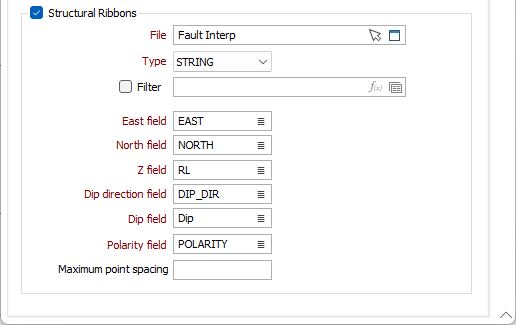
Заданные Структурные ленты представляют собой плоско- и линейно-ориентированные структуры, которые влияют на форму и геометрию условной модели.
Более подробную информацию см. в разделе Вставить точки.
Управление Эрозией/Отложением
Параметр При отсутствии пересечения был добавлен в настройки Моделирования литологии эрозии для Условного моделирования. Для сохранения обратной совместимости этот параметр также был добавлен для Контакта/Отложения в диалоге Глобальные значения по умолчанию.
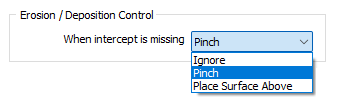
The available options are as follows:
-
Pinch This is the default behaviour. It pinches the bottom of the Contact/Deposition layer upwards at a default distance of half way between the drillhole and the nearest contact point.
-
Place Surface Above - The bottom of the Contact/Deposition layer will pass above the drillhole in a way that produces a minimum curvature surface.
-
Ignore - The drill hole is ignored.
Ранее поведение по умолчанию включало автоматическое выклинивание. Новые параметры обеспечивают более точный контроль геологического моделирования, позволяя проходить сквозь поверхность без выклинивания.
Поверхность
Ориентация полигона поверхности
Вкладка Ввод формы Моделирование полигонов была дополнена опциями ориентации для поддержки задания полей Направление падения, Падение и Полярность для входного полигона.
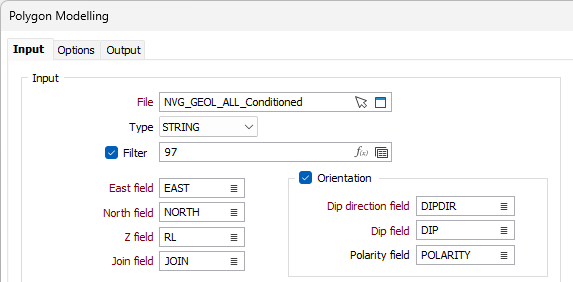
Ориентация узлов на стринге, для которых не указаны данные о направлении падения или падении, либо узлов, вставленных алгоритмом, будет интерполирована по ориентации ближайших узлов в каждом направлении.
Полярность определяет, с какой стороны наклонной плоскости находится интрузия. Значение полярности +1 означает, что полигональный солид находится под наклонной плоскостью, а -1 - что над наклонной плоскостью. Если значение не указано, полярность солида принимается равной +1.
Включение полей Ориентация для входного файла полезно при работе с новой Структурные данные функциональностью приложения.
Более подробную информацию см. в разделе Полигон .