Micromine ID
A Micromine ID is a convenient single account for accessing all services on the Micromine Nexus platform; such as Grade Copilot, Cloud Licensing and Nexus Workspace. Your Micromine ID will be created when you are assigned access to any of these services. If you would like to use any of the cloud-enabled features and you have not been assigned a Micromine ID, reach out to your company Admin or contact Support to get started.
Note: Your Micromine ID should only be accessed by yourself. If you believe that someone else is using your ID details, please reset your password via the Micromine User Portal.
The following topics briefly outline how to use your Micromine ID to access the available cloud-enabled Micromine services.
Cloud Licences
The Micromine ID was developed to take advantage of the benefits and convenience of Cloud Licences and the various cloud-enabled services offered by the Micromine Nexus platform.
If you are using a cloud licence, a Micromine ID will have been created for you. When activating the cloud licence, it is your Micromine ID that you will use to sign in. Once activated, the licence can be managed using the Licence Manager on the Micromine User Portal. The first time you login, you will need to enter your details in the user Profile page.
For companies with multiple cloud licences available, Micromine IDs will be created when users are invited to use a licence. Invitations to use the available licences are configured and assigned in the Licence Manager on the Micromine User Portal.
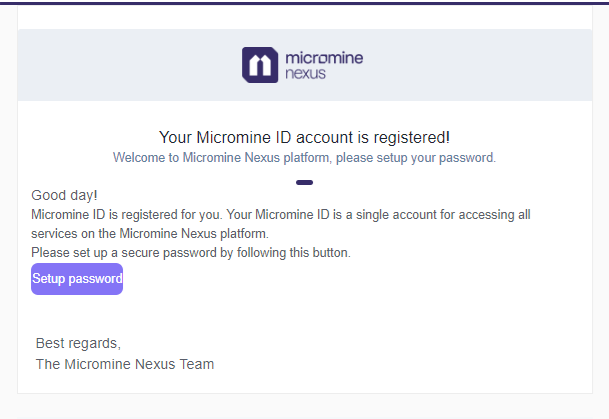
The Micromine ID for each user consists of the email used to register the invitation, and a secure password that the user will set up themselves. When an address has been successfully registered, an invite is sent to that address from which the user can create their secure password and sign in to the required service:
Micromine User Portal
If you are signed in to a cloud licence with your Micromine ID, you can open the Micromine User Portal Licence Manager from your application's Backstage menu.
The Micromine User Portal (sometimes referred to as Nexus - Home) is a self-service portal providing access to the Licence Manager for cloud licences, any Nexus Workspaces to which you have permission and a way to Share data with Support.
You can also directly login to Nexus using your Micromine ID. The URL is https://nexus-home.micromine.com.
Nexus Workspaces
A Nexus workspace allows you to collaborate on group activities as part of a team and might be set up to represent a department or division of your organisation, or a mine site or region, making it easier to securely manage and deliver information and data which is relevant to a particular audience.
Workspaces configured on Nexus can be linked with your Nexus projects using your Micromine ID to sign in to Nexus.