Download from Nexus
To download Design Data from Nexus:
-
Right-click on a (Layers, Grids, Block Models) node or an underlying folder and select Download from Nexus.

-
In the Nexus Tree View dialog, select the layer you want to download and click Accept:
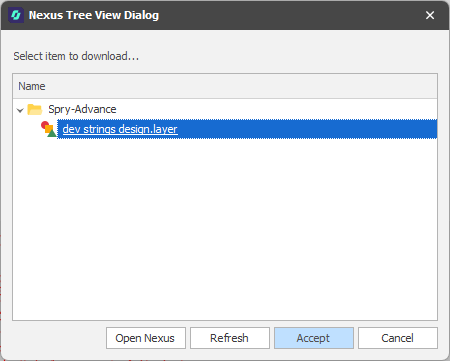
The layer will be added to the Design Data pane, under the node or the underlying folder you selected.
If a layer of the same name already exists at the target location, a number is appended to the layer name. A Status icon to the left of the layer name in the Design Data pane indicates that the layer is up-to-date:

Note that once a file or layer has been uploaded to Nexus or downloaded from Nexus, subsequent name changes in the application are NOT communicated to Nexus, however the link between the local file and the remote file will still remain.
When you Push a name change to Nexus, a message box may advise that the file or layer is already up-to-date. Push anyway. The status is updated, however no name change is applied in Nexus.