Cut Blocks
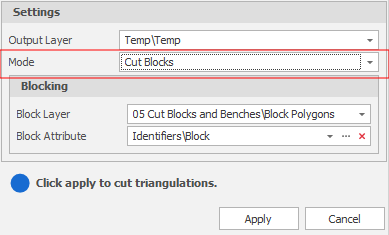
When Cut Blocks is selected as the mode in the Cut Blocks & Benches dialog, specify the following inputs:
Input Source
Select the Source of the data that will be used as input to the function:
| Selection | Design elements you have interactively selected in the Design Window. |
| Visible | Design elements that are visible in the loaded layer. Elements that have been specifically hidden are excluded. This a quick way of selecting all visible elements in a layer without having to explicitly select them. |
| Layer | One or more layers that you select. Names of layers currently loaded in the Design Window are shown in bold. |
For large datasets, you may prefer to select a layer rather than load that layer and select all of the elements in the layer. Selecting a non-applicable layer will have no effect. In most cases, an error icon  will indicate the chosen input layer is not valid. Hover over the icon to view a validation hint.
Block Layer
Select a layer containing the block polygons that will be used to cut the input solid(s).
Block Attribute
Each block polygon should have a unique Block attribute value. Select the attribute that will be used to identify which block each of the output solids comes from.
Apply
Click Apply to cut the triangulations.