Uploading Layers to Nexus
The layer (block model, shape, grid and triangulation) objects you work with in the Design Window or the Animation View can be uploaded to (and downloaded from) Nexus.
Once a layer has been uploaded to Nexus, a Status icon to the left of the layer name in the Design Data pane indicates whether the layer is up-to-date, has been changed locally since being uploaded to Nexus, or has been updated or deleted on Nexus since being uploaded.
| Icon | Status |
|---|---|

|
Up to date |

|
Modified (local changes) |

|
Uploading |

|
Update is available |

|
Downloading |

|
Deleted |
Depending on the status, you can perform the following right-click operations:
Check for Updates
Check the current layer for any updates that may have made to the layer in the linked Nexus project.

Download Changes from Nexus
The Download from Nexus option is available when the layer in the linked Nexus project has been updated and is out of sync with your local copy.
A Status icon to the left of the layer name in the Design Data pane indicates that the layer has been updated on Nexus:
Push Changes to Nexus
This option is available when the layer in the active Micromine Spry project has been updated and is out of sync with the layer stored on Nexus.
A Status icon to the left of the layer name in the Design Data pane indicates that the layer has been edited locally since it was uploaded to Nexus:
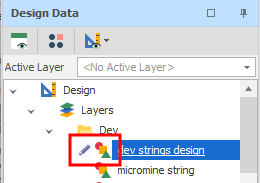
When you push changes, the icon next to the tree mode changes to an Uploading state:
After changes are pushed, the Status icon to the left of the layer name indicates that the uploaded layer is up-to-date:

View on Nexus
Select this option to open a Nexus Object Page which displays various details for the layer or file you have uploaded to Nexus. For layers, a spatial preview of the layer may also be supported.


In the Design Data pane, you can right-click on a node or an underlying folder and download previously uploaded data from Nexus.
For more information, see: