Drillhole Utilities
This
 Plan Views
Dynamic Coordinate System
A dynamic Coordinate System menu has been added to Plan Views to allow selection of a target coordinate system to be used in display.
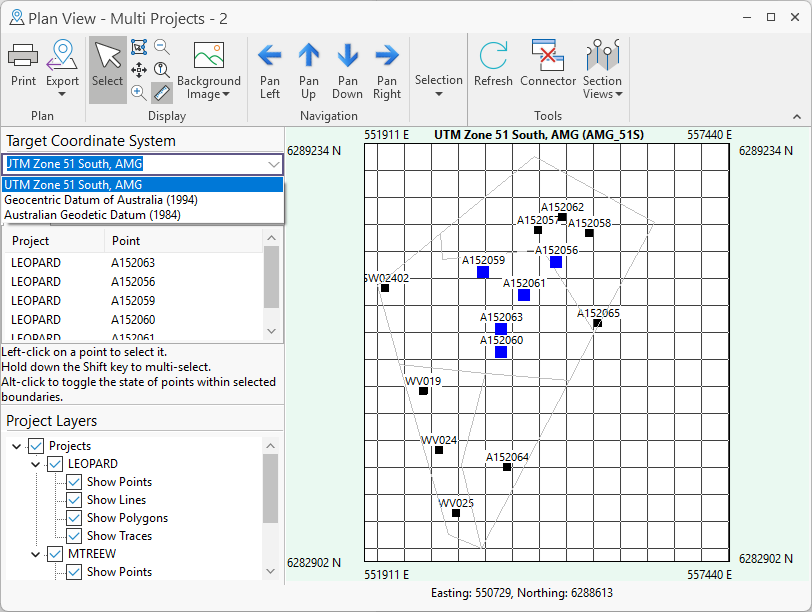
Using the new menu, you can select from the list of target coordinate systems retrieved from the data. When selected, the Plan View will be redrawn to show the points / lines / polygon / traces using that target coordinate system.
For more information, see Plan View.
Panorama
Drill Core Output Rotation
The Rotation option has been added to the Create Output tab for Panorama to select an angle of rotation for the image output.
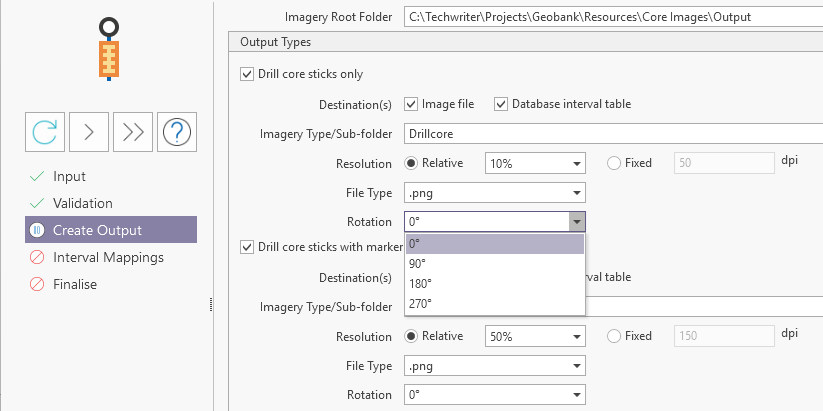
For Drill core sticks with and/or without markers, you can select a rotation to be applied to the output. For cases where the input image is not displayed vertically, from the top of the core to the bottom, this value can be selected to ensure the core stick output is shown in the correct orientation.
The new feature has also been added to Geobank v25.5 Service Pack 3.
For more information, see Add a Panorama Job.
Depth Adjustment
Image Viewer
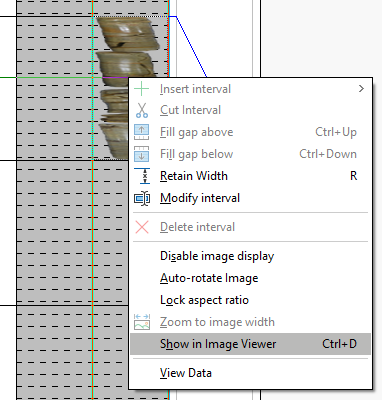
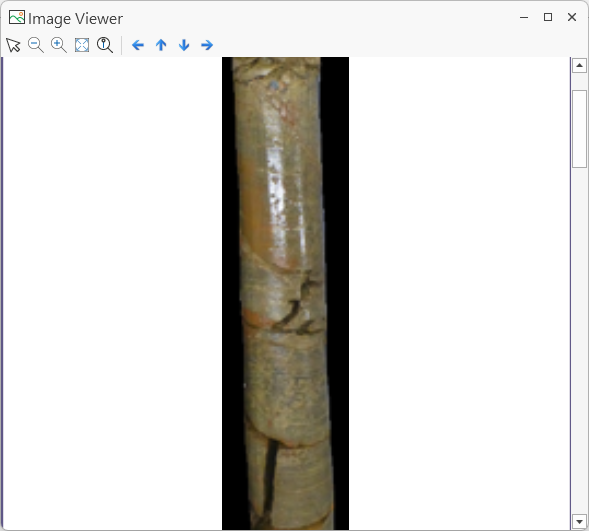
A dedicated Image Viewer and support for viewing images has been added to Depth Adjustment.
To review an interval image, you can select the Show in Image Viewer option:
The selected image will be opened in the Image Viewer and can be zoomed and panned using the available tools:
For more information, see Image Viewer.
Depth Adjustment Annotation Border
The Show border around annotation option has been added to the Annotation group on the Display page of the Property Editor: Depth Adjustment Panel form.
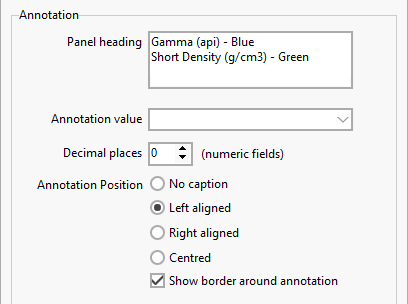
With the new option selected, a 1 pixel width black border will be drawn around the annotation in the Depth Adjustment panel:
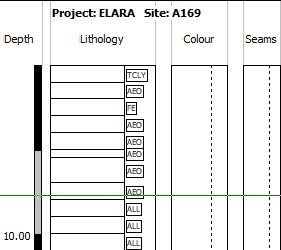
The annotation is bordered and features a solid background white fill. This option is particularly useful with linked lithology patterns, making the annotation easier to read inside the pattern.
For more information, see Panel Setup: Display.
Utilities
Significant Intercepts
The Significant Intercepts Tool has been added to the Drillhole Utilities to support the reporting of significant intercepts for multiple elements. A significant intercept is an interval with a grade within a specified cutoff range.
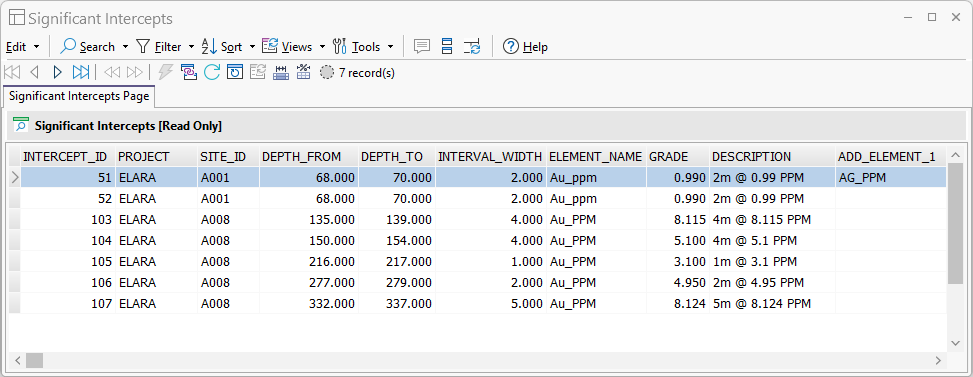
To enable the reporting of significant intercepts, a Significant Intercept Calculator tool has also been added to Query Groups to calculate information for the primary and additional element grades against specified minimum and maximum cut off values:
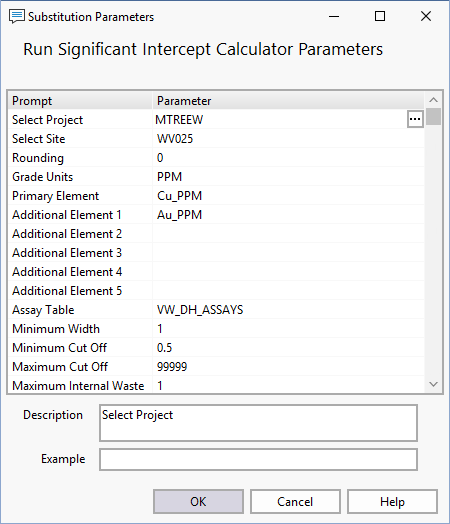
Note: The Significant Intercept module requires a licence with the Professional module included.
For more information on Significant Intercepts, see Significant Intercepts.