Significant Intercepts Calculator
The Significant Intercepts Calculator in the Queries | Query Groups node of the Configuration Manager is used to calculate significant intercepts from your Assay data.
A significant intercept is an interval for element grades within a specified minimum and maximum cut off value. The significant intercepts calculated are stored in the Significant Intercept Results table (GB_SIGINT_RESULT).
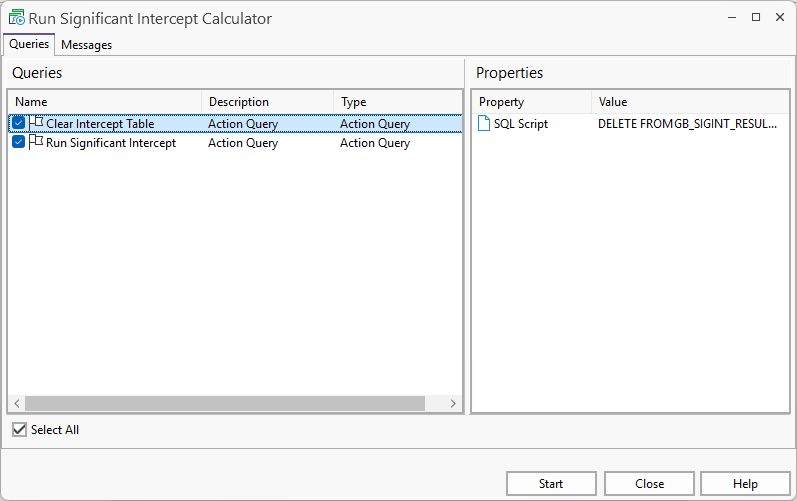
Running the calculator performs two separate steps:
-
Clears the information from the Intercept table for the Project and Site entered in the Substitution Parameters form at the time of running the calculator.
-
Calculates the significant intercepts for the Project and Site entered in the Substitution Parameters form.
To run the Significant Intercepts Calculator, from the Configuration Manager in the Queries node,
-
Select Query Groups.
-
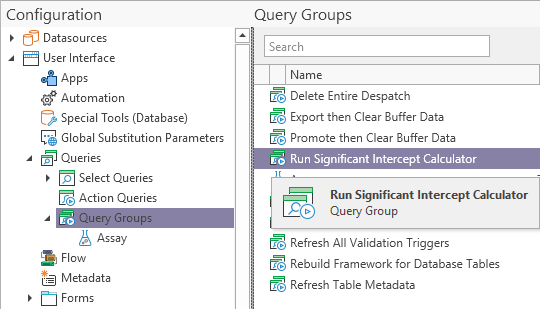
Double click, or right click and select Execute on the Run Significant Intercept Calculator entry:
The Significant Intercept Calculator opens:
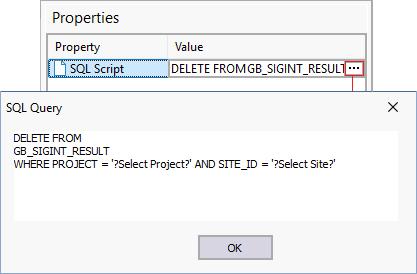
If you select Clear Intercept Table or Run Significant Intercept in the Queries panel, the SQL Query for the step will be displayed in the Properties panel at the right. You can view the SQL query for the step from the list button in the Value column:
If a step in the process is not required,
-
Deselect the check box for the step.
-
Click the Start button at the bottom of the window to begin the process/es as configured.
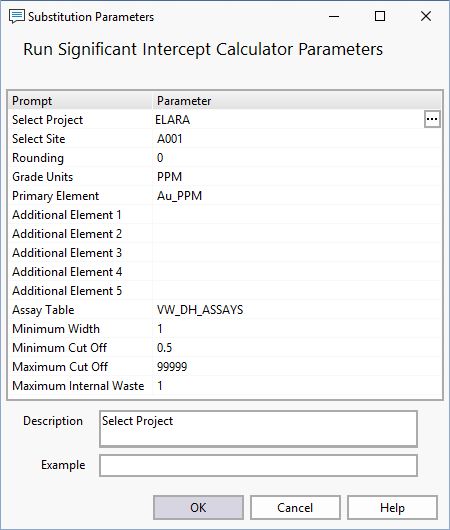
The Substitution Parameters form will open:
-
Enter the required parameters for the calculation in the fields of the form.
For information on the Significant Intercept substitution parameters, see Significant Intercepts.
-
Click OK to run the calculator.
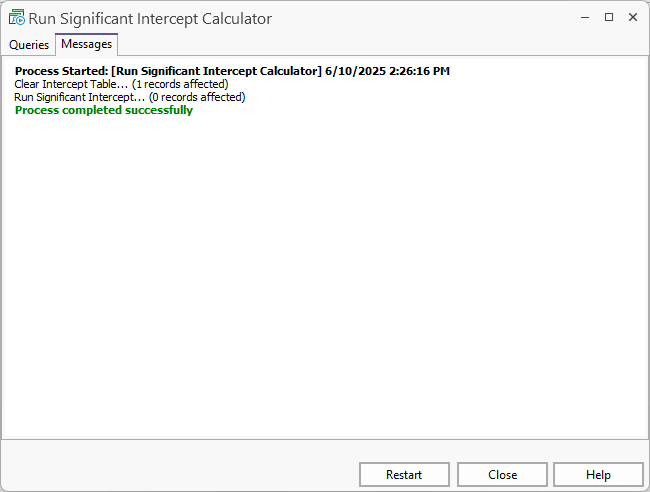
The selected steps for the calculation will begin, and information on the progress will be displayed in the Messages tab:
-
You can Close the calculator or Restart the process using the buttons at the bottom of the window.
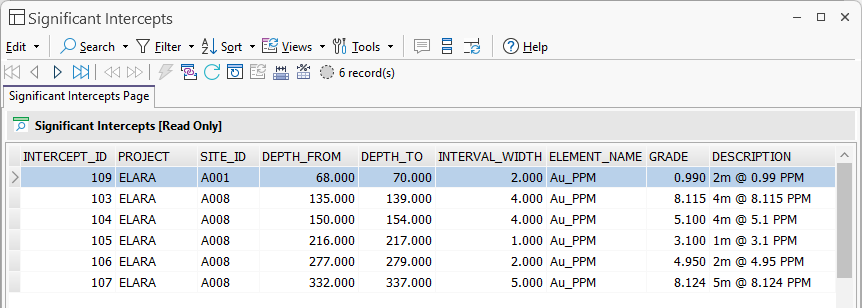
Data for the calculated intervals, if any, is stored in the Significant Intercept Results table (GB_SIGINT_RESULT). This information can be reported or added to data views - for example: