Core Features
This
 Data Transfer
Drillhole Collection Import
Support has been added for importing drillhole data to Micromine Geobank from Nexus for promotion to configured data tables.
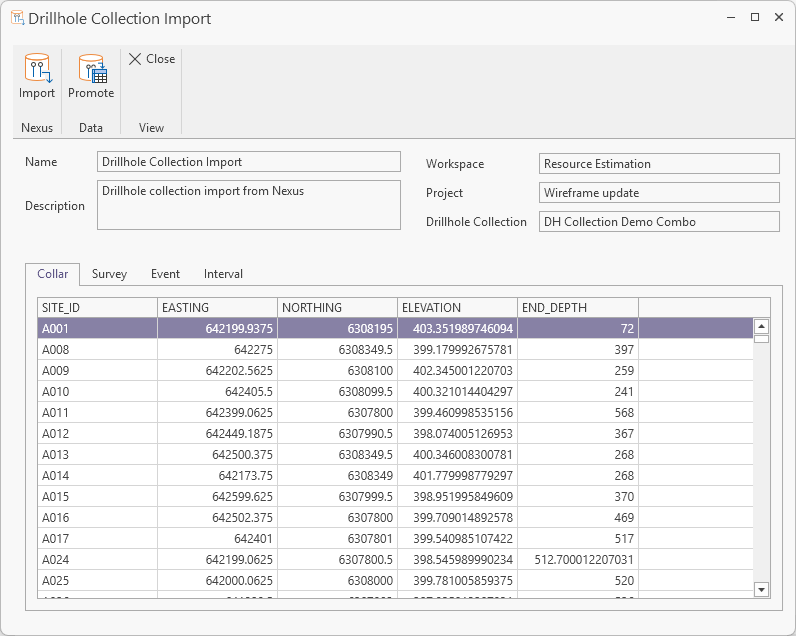
Drillhole Collection Imports are used to import drillhole data from a linked Nexus project. In Nexus, drillhole data can be uploaded in a series of CSV files for the Collar, Survey, Interval and Event tables and converted to a Nexus Drillhole object which can be imported to Micromine Geobank. When you create a Drillhole Collection Import, you specify the database tables and columns that include the drillhole data to be imported from your linked Nexus project.
When a collection has been imported, it can be Promoted to add the details from the collection in the linked project to the nominated tables for the import. The data can be logged and approved and exported on the fly to keep drillhole data up to date and in synch.
For more information on importing drillhole collections, see Execute: Drillhole Collection Import.
Publish Updated Drillhole Data
From Micromine Geobank 2025.5 Service Pack 1, publishing of updated drillhole data to a linked Nexus project is supported.
When the data for a published drillhole collection has changed, you can double click the entry in Drillhole Collections screen to open it and then click Publish:
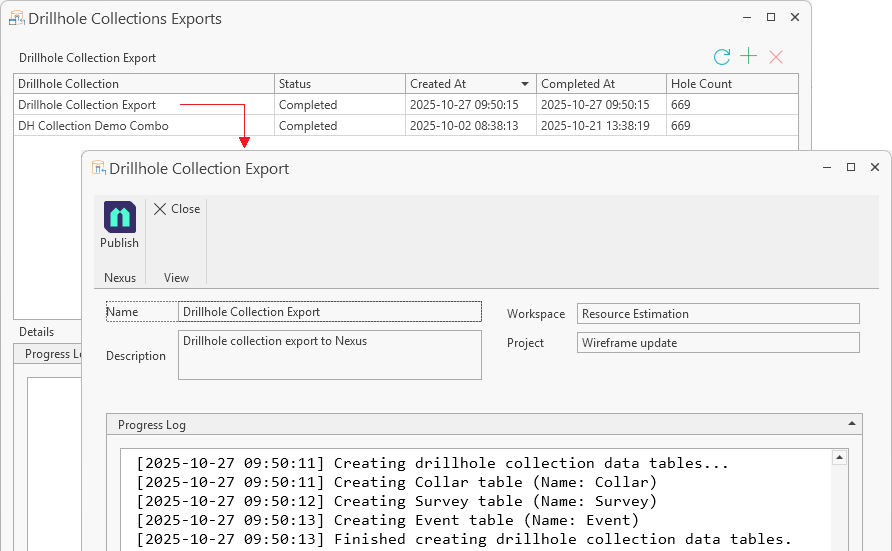
For more information on publishing drillhole collections, see Execute: Drillhole Collection Export.
Archive Folder Substitution
The option to add a substitution parameter to an Archive folder name has been added to the Import File Spec Property Editor on the Configuration | Advanced tab:
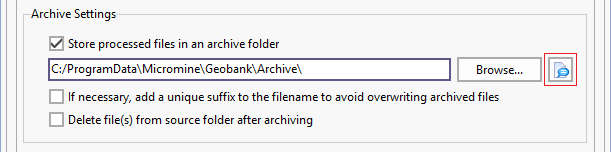
When configuring an Import, to keep track of what data has been imported, you can choose to store your processed files in a nominated archive folder.
You can click the Browse button to navigate to the location of the folder, or File Name Substitutions when specifying the folder name.
Data View
Significant Intercepts
The Significant Intercept Data View has been added to support the reporting of significant intercepts for multiple minerals. A significant intercept is an interval with a grade within a specified cutoff range.
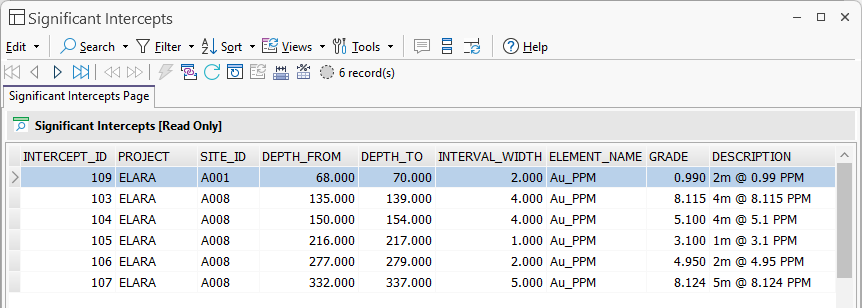
The Significant Intercepts Page data view displays the information contained in the Significant Intercept Results table (GB_SIGINT_RESULT) populated by the Significant Intercepts calculator and Significant Intercepts tool.
Note: The Significant Intercept module requires a licence with the Professional module included.
For more information on Significant Intercepts, see Significant Intercepts.
User Interface
Assign Profile to User
From Micromine Geobank 26.0 Service Pack 1, the Can assign profile to user option is available on the User properties to allow non Administrators to assign profiles to other users.
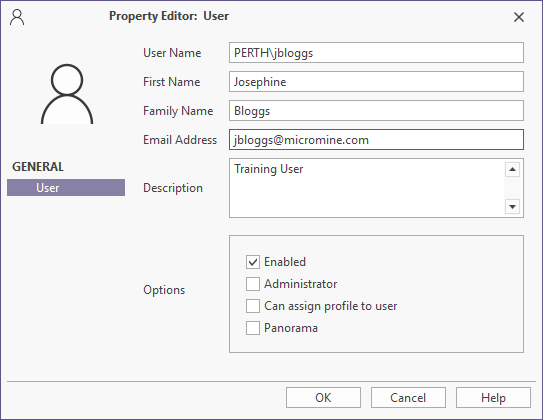
Access to the Configuration manager will be restricted to Profiles and Users for users with this option enabled. The user will only be able to assign profiles to users.