Execute: Drillhole Collection Export
The Drillhole Collection Exports you create are used to export drillhole data to Nexus. To create a Drillhole collection, a Drillhole Dataset is required - see Drillhole Dataset.
Drillhole Collection Exports can be executed to publish any updates to the dataset to your linked Nexus project.
To publish drillhole data to Nexus, in the Configuration Manager under Data Transfer,
-
Click Drillhole Collection.
The available Drillhole Collections and Datasets are displayed:
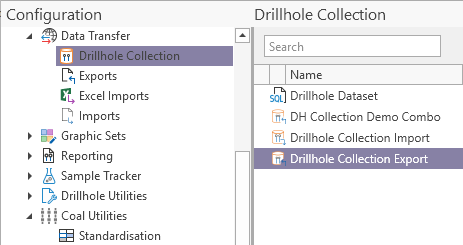
-
Right-click on the required Drillhole Collection Export and,
-
Select Execute.
The Drillhole Collection window is opened.
-
Click the Publish button in the toolbar.
The synch procedure begins, and the Progress Log displays information on the process.
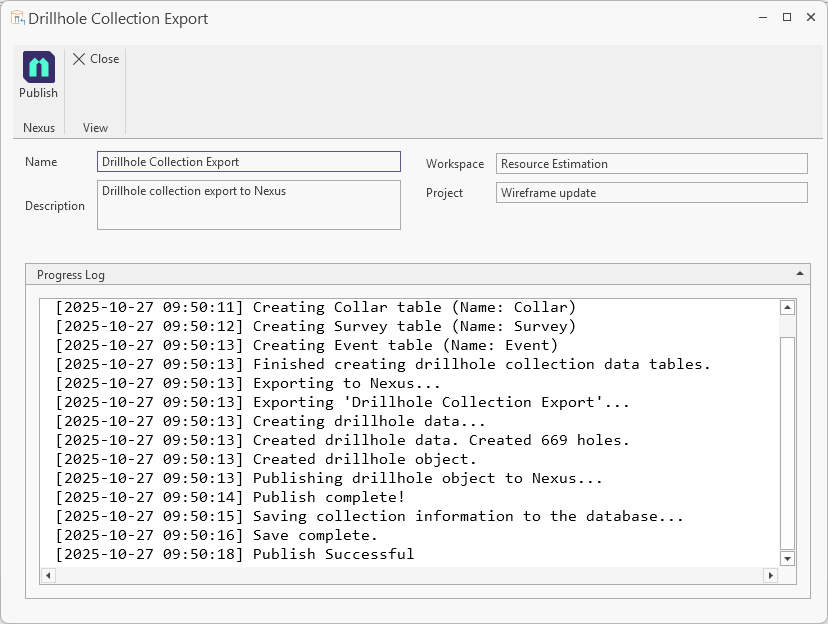
When the drillhole data has been successfully published, it will be available in the linked Nexus project and can be viewed in the Visualiser. Interval information included in any Datasheets configured will be available to view as part of the visualisation.
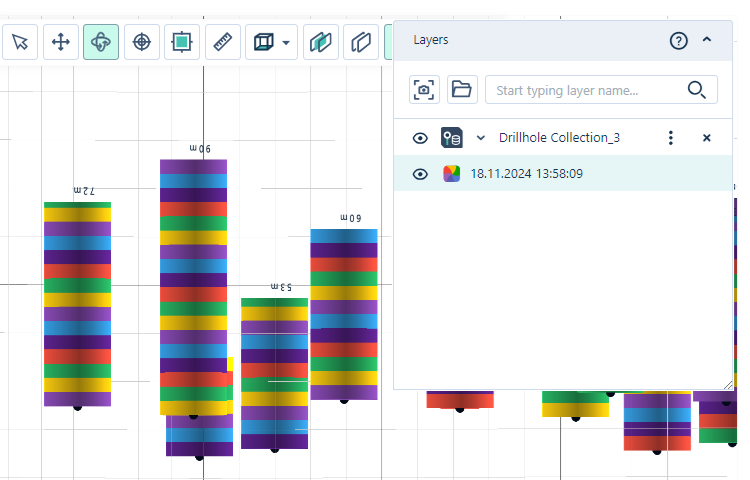
For information on viewing drillhole collections in Nexus, see Viewing Drillholes in the Nexus Online Help.
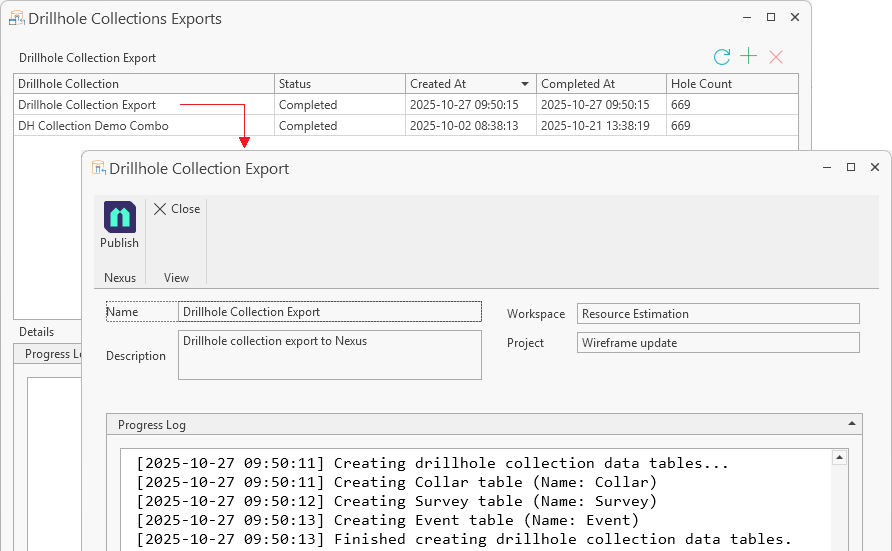
When the data for a published drillhole collection has changed, it can be republished to Nexus using the Drillhole Collection Export screen. To do this, with the Drillhole Collections screen open,
-
Double click the Drillhole Collection entry to be republished.
The entry will open in a new tab.
-
Click the Publish button to update the published entry in the linked project.
For information on creating Drillhole Collection Exports, see Drillhole Collection Export.
The drillhole collection exports you create can be managed using the Drillhole Collection Export Manager.