Execute: Drillhole Collection Import
Drillhole Collection Imports are used to import drillhole data from a linked Nexus project. In Nexus, drillhole data can be uploaded in a series of CSV files for the Collar, Survey, Interval and Event tables and converted to a Nexus Drillhole object which can be imported to Micromine Geobank. When you create a Drillhole Collection Import, you specify the database tables and columns that include the drillhole data to be imported from your linked Nexus project.
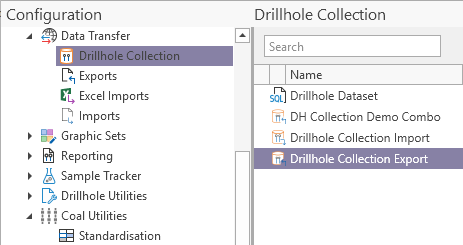
To import drillhole data from Nexus, in the Configuration Manager under Data Transfer,
-
Click Drillhole Collection.
The available Drillhole Collections and Datasets are displayed:
-
Right-click on the required Drillhole Collection Import and,
-
Select Execute.
The Drillhole Collection Import window is opened.
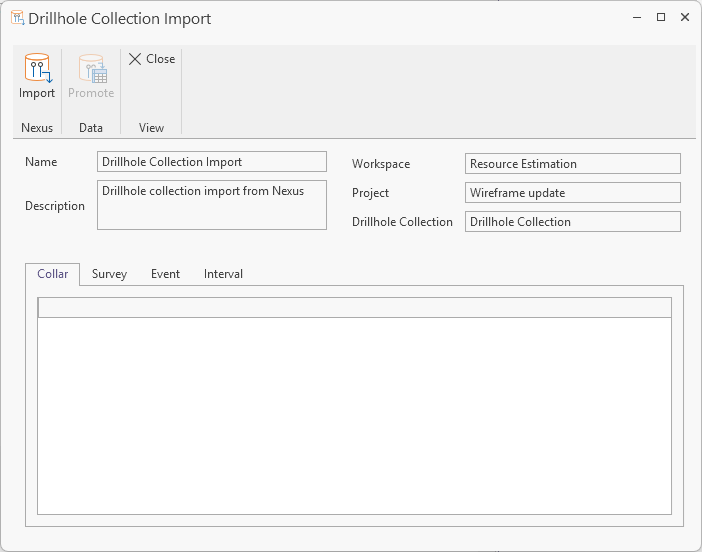
The Import button in the Drillhole Collection Import toolbar is used to bring in the Collar, Survey, Event and Interval details to the Drillhole Collection Imports manager where it can be viewed in tabs along the bottom of the Manager.
-
Click the Import button to populate the tabs of the Drillhole Collection Import manager.

The data from the import will be populated in the tabs.
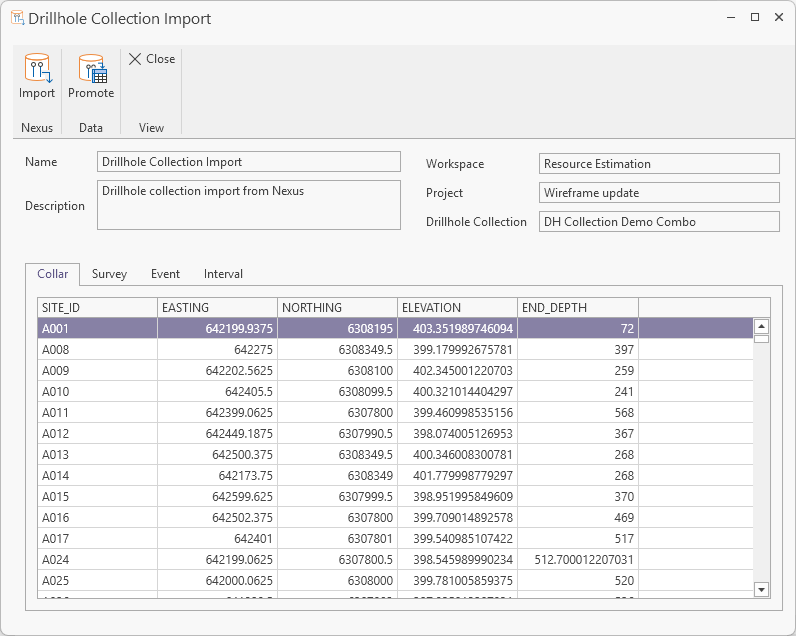
When a collection has been imported, it can be Promoted to add the details from the collection in the linked project to the nominated tables for the import. The data can be logged and approved and exported on the fly to keep drillhole data up to date and in synch.
To promote the import data,
-
Click the Promote button in the toolbar.

The data for the drillhole collection will be promoted to the tables configured for the Import and can be reported on or added to Data Views and edited for export.
The drillhole collection imports are managed using the Drillhole Collection Imports Manager.