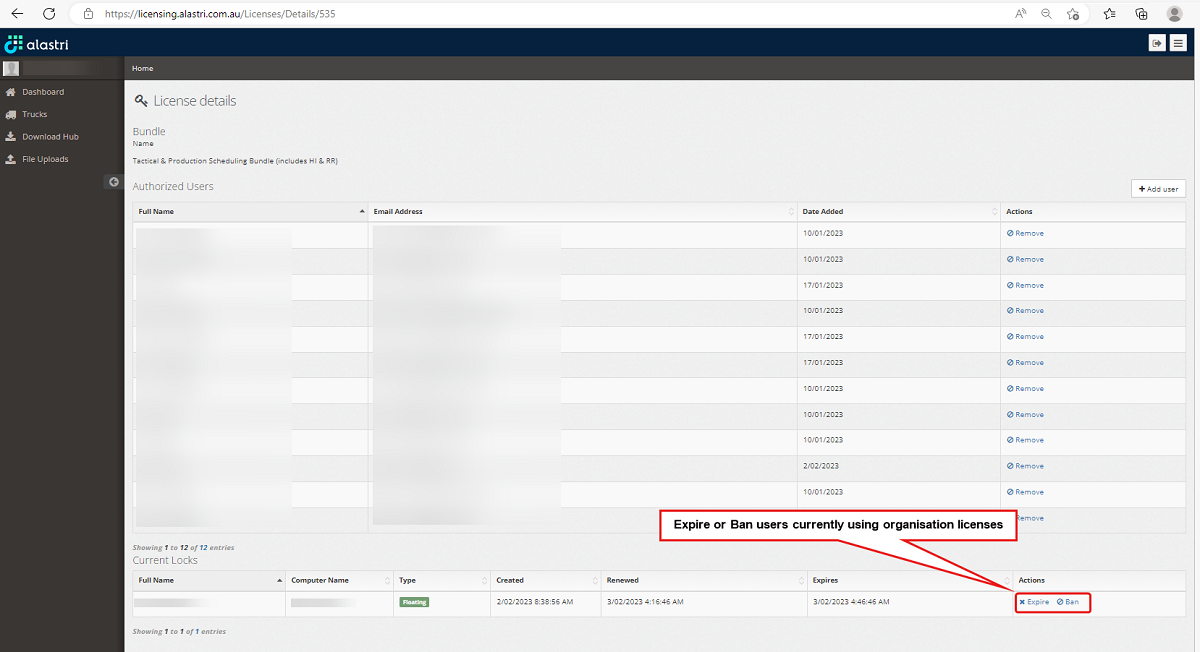
Expire or ban currently logged in users
As an Administrator you can Expire or Ban current users who may have forgotten to log out or are having connection issues.
Expiring a license will force the users network to refresh the license causing a temporary loss of license before re-connection.
Banning will disconnect the user from the license network for a period of 30 minutes.
-
Begin by logging into the Alastri licensing website https://licensing.alastri.com.au/.
-
Click on the Manage tab.
-
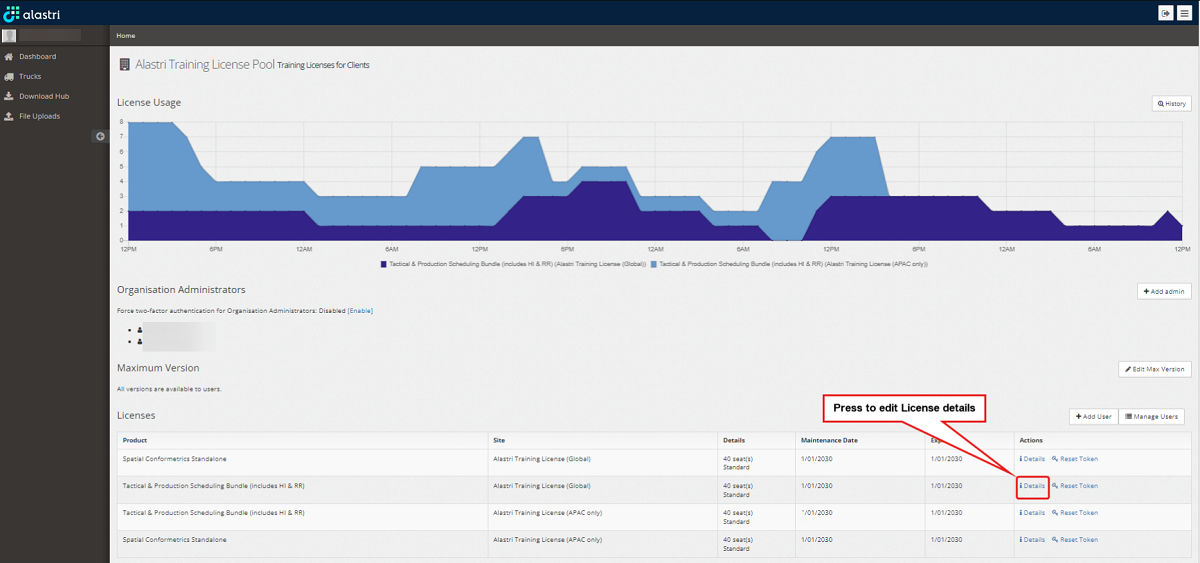
On the organisation license pool page, click on the Details option for the required product as shown below.
-
On the organisation license details page, scroll to the bottom of the page to display the current user locks. Identify the affected user and select either Expire or Ban as required.