Add new users to the existing licence
Users with Administrator privileges can be added by contacting Alastri Support.
As an Administrator you can manage user access and view usage history.
-
Begin by logging into the Alastri licensing website https://licensing.alastri.com.au/.
-
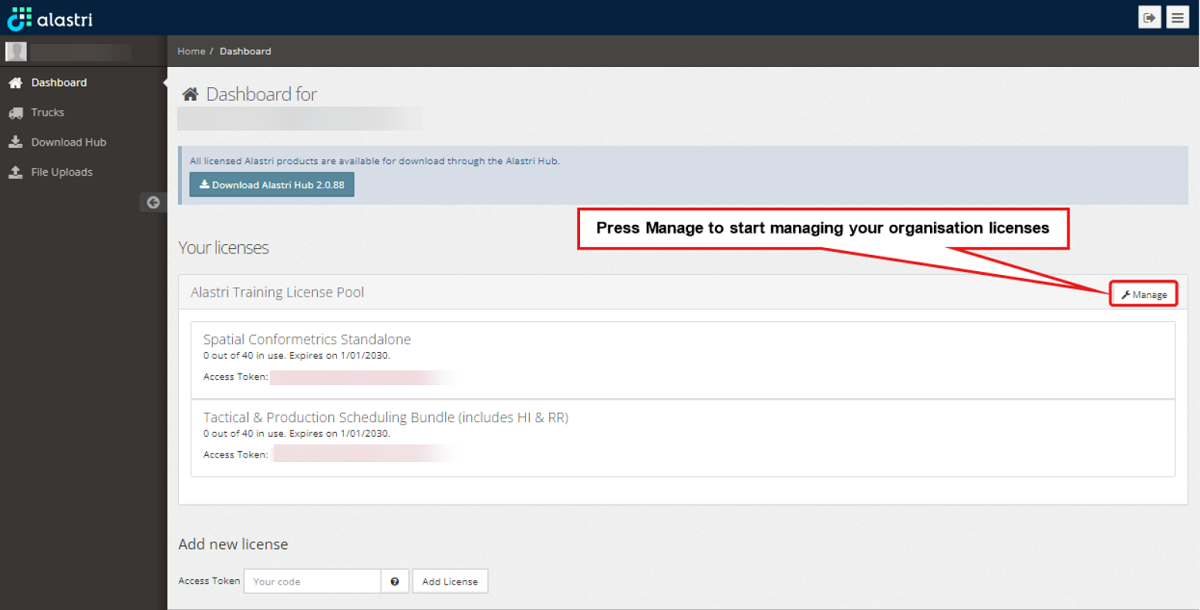
Locate and press the Manage button shown below.
-
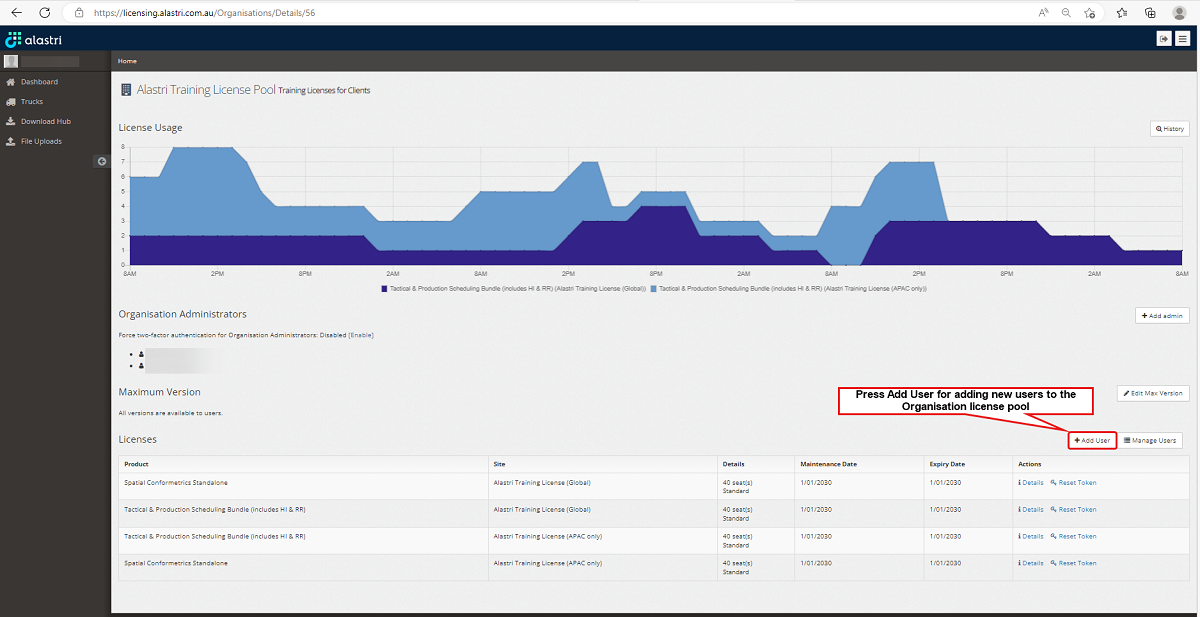
You will be redirected to your organisation managing page.
The Administrator can add users with an existing and confirmed Alastri Account to an existing organisation license pool.
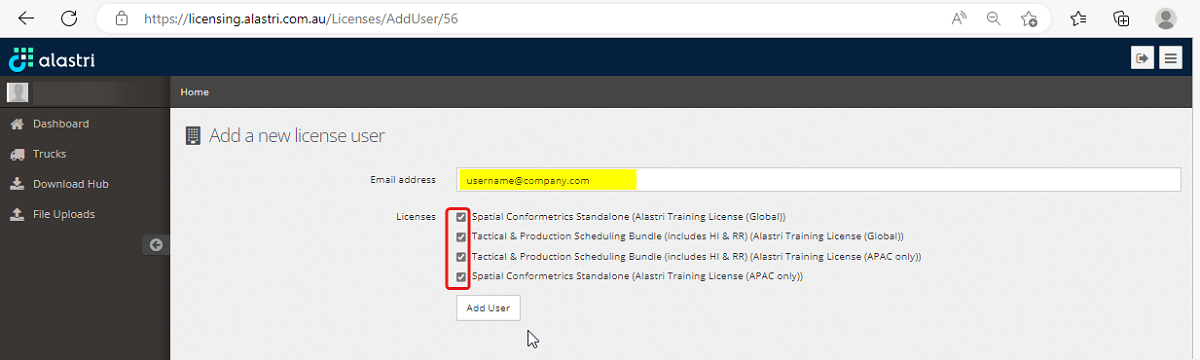
If the user to be added does not have an existing confirmed Alastri account the new user will need to first create one here and confirm the account via the Confirmation email sent to the new user.
Type in the new confirmed email address of the user to be added, select the products they require access to and click Add User. The new user can now access Alastri Hub and software purchased by their company.
Managing Users
As an Administrator you can manage organisation users, i.e. changing their first and last names, if required.
-
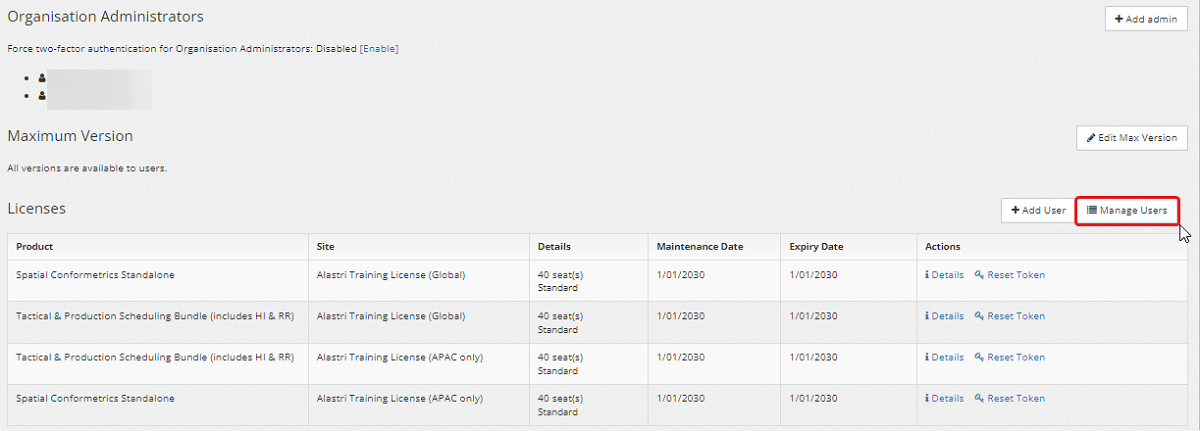
In your organisation license pool select Manage Users, as shown below:
-
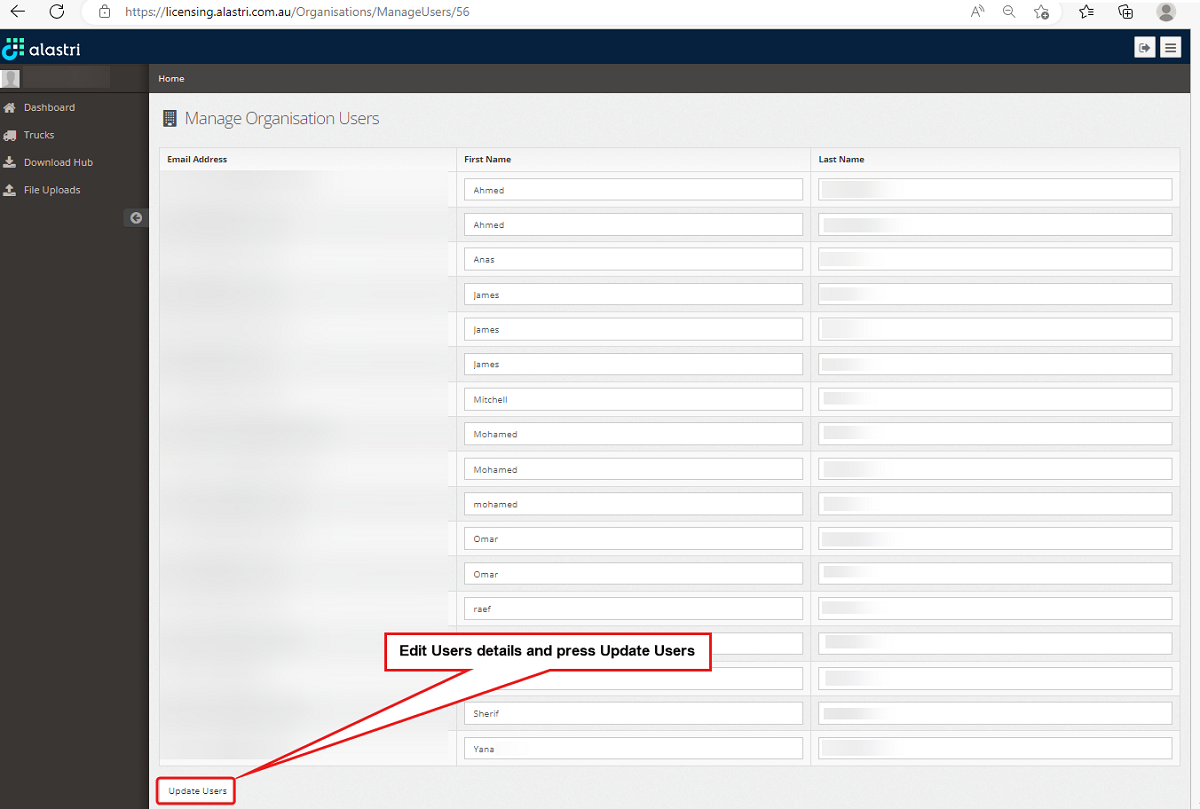
In the Manage Organisation Users window, edit users details as required.
-
Once updating Users details is completed, press the Update Users button.