Источники и места назначения
На вкладке Источники и пункты назначения формы Оптимизация грузопотока используется сетка для добавления источников и пунктов назначения для бинов материалов, настроенных в Micromine Origin & Beyond.
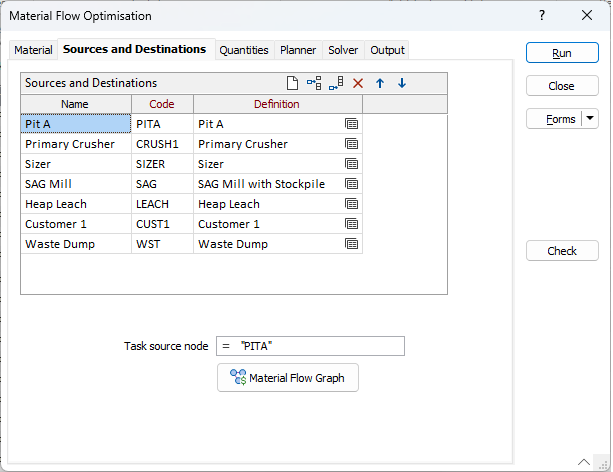
В поле Имя введите идентификационное имя для добавляемого источника или пункта назначения.
В поле Код введите уникальный идентификационный код для источника или пункта назначения. Это поле обязательно к заполнению.
Используйте колонку Определение для задания исходных и конечных узлов потока материала для каждого бункера материала. Нажмите на иконку Формы, чтобы выбрать сохранённый набор форм. Щёлкните правой кнопкой мыши (или F4), чтобы Редактировать текущий набор форм, либо выберите Создать для создания нового набора форм.
Исходный узел задачи
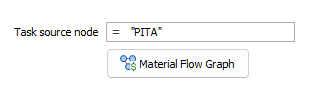
Укажите узел, из которого начинается поток материала. Это выражение вычисляется для каждой задачи и должно соответствовать Коду узла материальной сети из списка Источники и Назначения. Поле можно оставить пустым, если узел только один.
На приведённом скриншоте выражение соответствует коду первого элемента в списке.
= "PITA"
Какие узлы могут быть начальными, зависит от настроек внутри узла и не связано с положением узла в списке сетки. Если параметр Исходный узел задачи задан как узел, который не может быть начальным (например, «CRUSH1» в приведённом выше примере), это будет обнаружено и отмечено как ошибка при выполнении команды.
График грузопотока
Нажмите кнопку График грузопотока, чтобы отобразить узлы материальной сети из списка Источники и пункты назначения.
Более подробно см. Material Flow Network Node