Reducer
In the Design Data pane, right-click on a block model layer and select Run | Reducer to create a reduced or transformed copy of the underlying block model file. Overall file size can be reduced by applying a grouping expression and one or more filter conditions.
You will be prompted to navigate to the location of the Output block model file.
The default Save location is the current project folder. Note that "Reduced" is appended to the name of the block model layer as the default output file name.
Specify reduction parameters on the following pages of the Reduce Block Model Wizard:
-
Use the Filter Options page of the Reduce Block Model Wizard to filter which blocks will appear in the reduced block model. See: Filter Options
-
Use the Field Options page of the Reduce Block Model Wizard to populate the reduced block model with user-defined calculated fields. See: Field Options
-
Use the Import Options page of the Reduce Block Model Wizard to choose how the reduced model is imported and displayed. See: Import Options
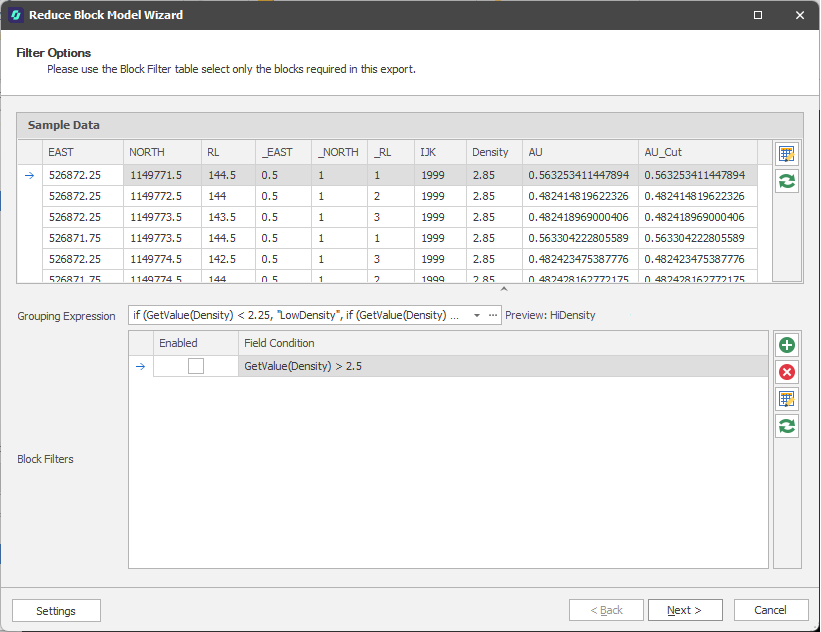
Reduce Block Model Wizard