Orthogonal
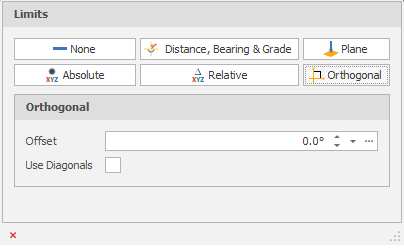
Offset
In Orthogonal mode, lines can be drawn at angles {0°,90°,180°,270°} with a specified offset. If the specified offset is 12°, then lines will be drawn at {12°, 102°, 192°, 282°}, allowing straight lines to be drawn even if the model is at a slight bias to true north.
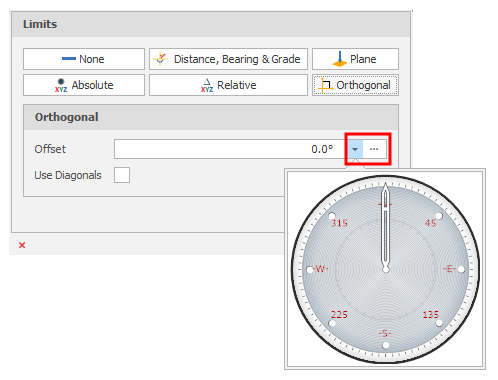
Click the drop-down to visually select a bearing by dragging the mouse in a clockwise or counter clockwise direction.
Include diagonals
When this check box is selected, a new limit option is available every 45° instead of every 90°, e.g {0°,45°,90°,135°,180°,225°,270°,315°}.