Shotcrete Panel
Shotcreting is a process used in underground mining to apply concrete or mortar onto surfaces, such as rock walls, for stabilisation and support. Materials (additives) are mixed at a batch plant in a Mixing unit which is then attached to a Spraying unit for spraying to a location. Expired material (waste) is dumped to a location that can be a specified default or a user-selected location.
Information on configuring Pitram to work with Shotcrete activity is contained in Shotcrete Configuration
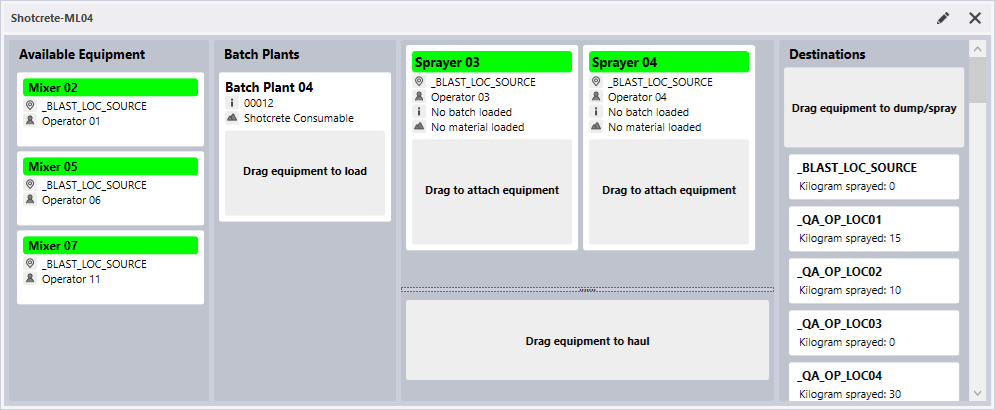
The Shotcrete panel displays activity for the available equipment, batch plants, spraying and mixing units, and destinations used for shotcreting.
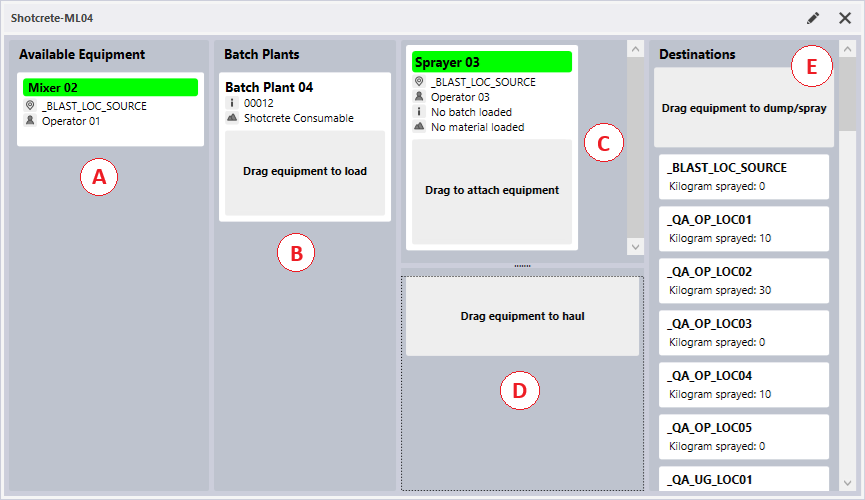
A. Available Equipment
The Available Equipment section of the panel contains the mixing units that have been configured for display, which are currently not carrying any volume of material. These mixing units are considered to be available for loading by a batch plant for a new batch movement.
B. Batch Plants
The Batch Plants section contains the batch plant equipment configured for display on the panel. Batch plant equipment controls remain in the Batch Plant section. The material and batch number can only be set at batch plant level.
C. Spraying Units
The Spraying Units section contains the spraying units configured for display on the panel. Spraying units are always displayed in this section of the panel. Mixing units can be dragged onto the spraying units to link the batch and spraying destination.
D. Working Mixer Units
The Working Mixer Units section displays any mixing units that are currently carrying a material volume and not actively linked to a spraying unit. Mixing units can be linked from here to spraying units, or other mixing units can be loaded by mixing units in this section.
E. Destinations
The Destinations section displays the configured destinations, as well as a general dump location. When a spraying unit is dragged to a destination, it is considered to be performing a spraying action; and when a mixing unit is dragged here it is considered to be dumping its volume.
To set up a Shotcrete panel,
- In the Panels pane, right-click on Shotcrete and select New Panel from the right-click menu.
- Enter a Name for the panel and click Next.
- Select the equipment that represents the Batch Plants and click Next.
- Select the group or individual equipment units for the Mixing equipment and click Next.
- Select the group or individual equipment units for the Spraying units and click Next.
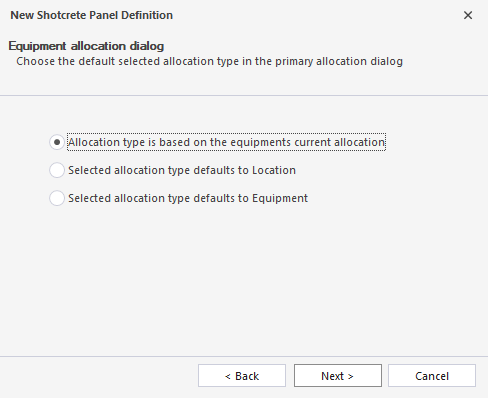
- Select the default allocation type to be selected in the primary allocation from the list of options in the screen:
- Click Next and select the default destination for the Mixing unit, which is the default location when mixers dump to waste.
- Click Next and select the valid destination/s for shotcrete activity:
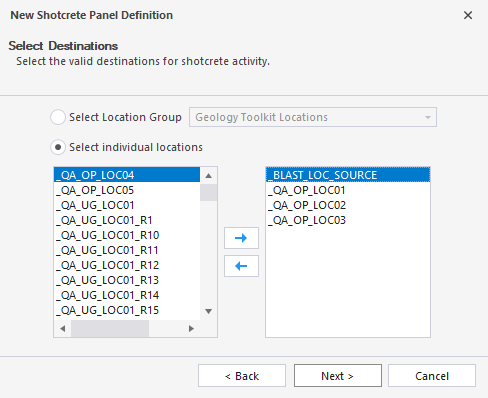
-
Click Next and select the materials that can be assigned to batch plants.
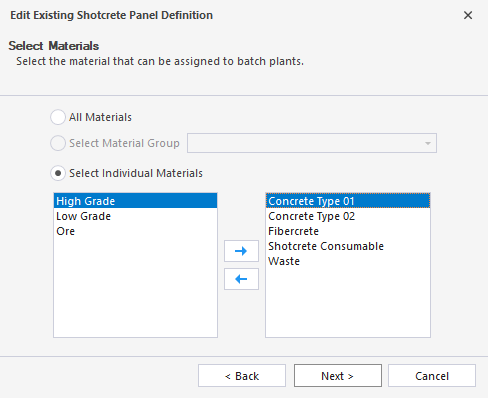
-
Click Next and select the default active list for the Primary Operator and Secondary Operators being allocated to equipment.
-
Click Next and optionally select the role to be prompted for the active operator, or use the default role:
-
Click Finish to exit and create the new panel (or Cancel to exit without saving).
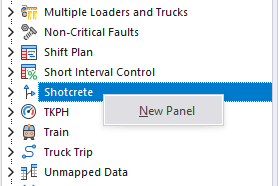
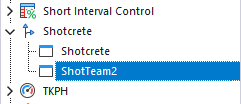
The new panel will be shown in the Panels pane under the Shotcrete option:
To open a Shotcrete panel:
- Click on the plus/minus box to expand the Shotcrete node in the Panels tab of the Display pane.
The panels you have created will be listed underneath.
- Click the mouse on the name of a panel and drag and drop it onto an open Canvas.
- To view the panel in future, simply open the canvas.
You can add a panel to more than one canvas. A canvas may contain any number of panels.
Information on using the Shotcrete Panel is contained in Using the Shotcrete Panel.
For information on the options available in the toolbar for the panel, see Panel Toolbar.