Remove
There are two available Remove options on the More menu from More | Remove for files / folders.
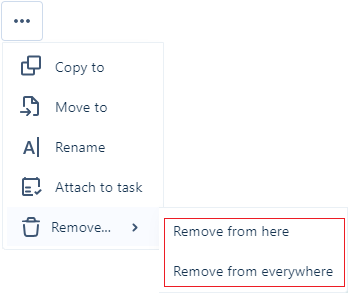
Both options will move the selected file/s or folder to the Recycle Bin without a prompt. You can restore them using the Restore options on the Recycle Bin page.
Remove from here
Click Remove | Remove from here to remove the selected file(s) or folder from the current location. The files or folder (and its contents) will be removed from the current
Remove from everywhere
Click Remove | Remove from everywhere to remove the selected file(s) or folder from ALL locations where a copy exists. The files or folder (and its contents) will be removed from all
Deleted