Syncing Your Data
The Sync Manager component of Data Transfer is designed to synchronise data between a Central Geobank system and a Subsidiary system on a field device or separate mining or exploration site, with filtering to control subsidiary data.
The Sync Manager is used to create and configure Sync Operations and Sync Databases to allow the synchronisation of data. The Linked Operations created in Synchronisation Setup are available for connection from the Sync Manager.
To connect to an operation, in the Sync Manager,
-
Click the Connect button.
-
Select the Sync Operation for synchronising from the drop-down list.
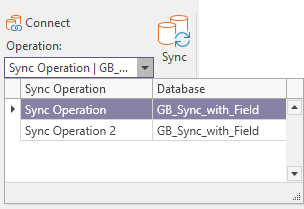
Note: If the Sync Manager is not docked to the main Micromine Geobank tabs, you will need to click the Home tab to navigate to the Connect controls.

With the sync operation selected, the Sync button is active.

-
Click the Sync button to synchronise the configured databases.
A progress prompt will appear during synchronisation.
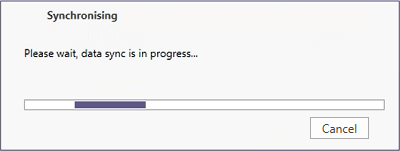
You can click the Cancel button to cancel the sync process. This will close the progress window and the cancellation will run in the background.
Note: Cancel does not prevent data from being written. If the sync is cancelled after the central table has already been modified, the new data will not be rolled back and will stay in the central table.
While sync cancellation is running in the background, a new sync process cannot be started.