Folder
The Drillhole Collection tools are used to import and export drillhole data from and to Nexus. Folders you create under the Drillhole Collection Data Transfer node can be used to store the drillhole collections and datasets you create.
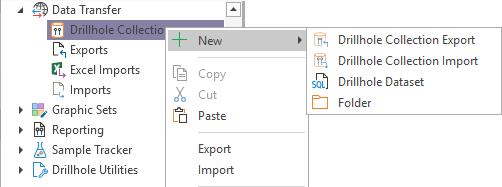
To create a Folder, in the Configuration Manager under Data Transfer,
-
Right-click on the Drillhole Collection option.
-
Select New |Folder.
The Folder property editor opens and you can enter a Name and Description for the new folder.
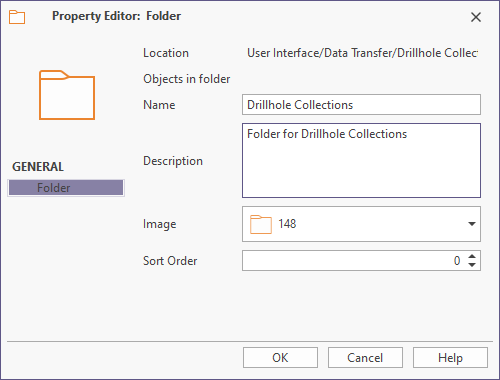
For information on the options in the Folder property editor, see Property Editor: Folder.