Targets and Reporting
If you have been working with Targets, the reports in the reports list, under the heading Budgets, are of interest. Here you will find a number of customised report types - Custom Calculations, Daily Targets, Rates and Measures, etc.
Budget reports provide a number of ways to view and compare actual production and performance against targeted values. Such reviews can lead to the implementation of efficiencies and cost savings.
In the list of available values for a budget report, the items that can be selected are target items defined in the Targets service. This provides the means by which defined target values can be linked with the actual recorded measures for selected equipment, locations or personnel.
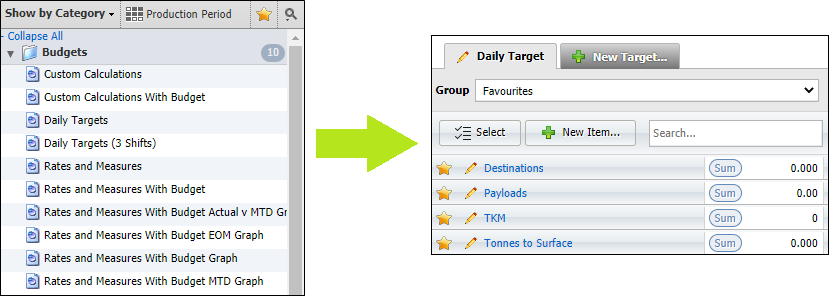
The structure of reports in the Budget category differ slightly from those in other categories in that most have a Budget object, while only two include a Filter Measure object.
| Report | Budget Object | Filter Measure Object |
|---|---|---|
| Most Budget Category Reports |

|
X |
| Custom Calculation | X |
|
| Rates and Measures | X |
|
Summary levels allow you to select the attribute level of the data in the report (from the broadest to the more detailed) for a defined set of objects.
Budget report summary levels have either:
One object
Most reports have only one summary level, Period. The Period object for the report type defines the time frame: The Period summary level presents data for the period itemised for the Year, Month, Day or Shift.
Many objects
Two reports, Custom Calculation and Rates and Measures have many summary levels. These reports have a filter measure object.
No objects
The Daily Targets report has no summary levels.
All of the report types in the Budgets category have either a budget object or a filter measure object. It is these objects that you define in Targets.