Reference Edit Settings
The Reference Edit service is used to create, edit, and manage the reference data used by the Reporting service, other Pitram Portal services such as Drill and Blast and Materials Management, and client applications such as Data Acquisition and the Event Editor.
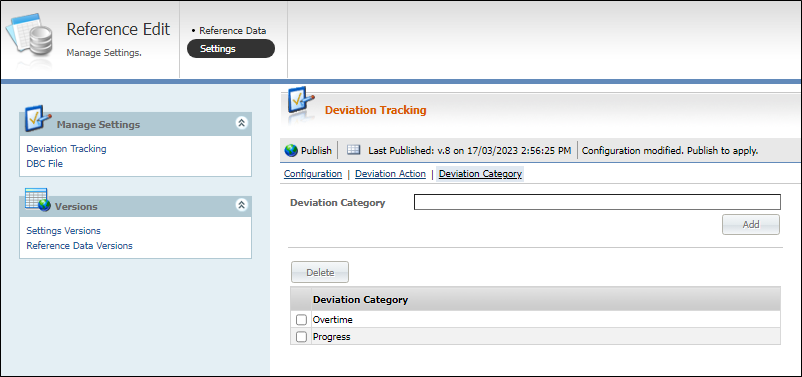
The Reference Edit | Settings page contains the Manage Settings and Versions menu panels at the left.
To open the Settings page, from Reference Edit,
-
Click the Settings option.
Manage Settings
The Manage Settings menu contains the following options:
-
Deviation Tracking
Used to configure Deviation Tracking for Pitram Data Acquisition. When you open the Reference Edit Settings screen, the Deviation Tracking screen is displayed by default.
Information on configuring deviation tracking is contained in Deviation Tracking Configuration.
-
DBC File
The DBC File option is used to import a DBC file which provides the signals used in configuring J1939 reading definitions.
The Import button in the toolbar opens the Import DBC form which is used to specify a standard or custom DBC file for import. Once selected, you can select to have all of the signals in the file labelled with either the Standard 'Custom Origin' or to use a user defined name.
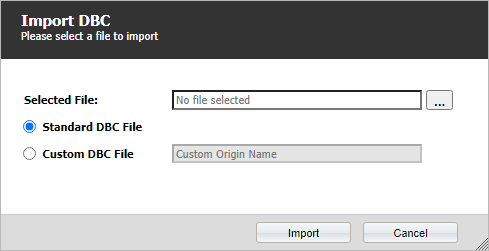
More information on importing a DBC file is contained in Import a DBC File.
Versions
The Versions menu contains options for viewing information on Asset Health and Deviation Tracking versions, as well as Reference Data versions.
Settings Versions
The Settings Versions screen displays historical information on the data versions for the Asset Health and Deviation Tracking features.
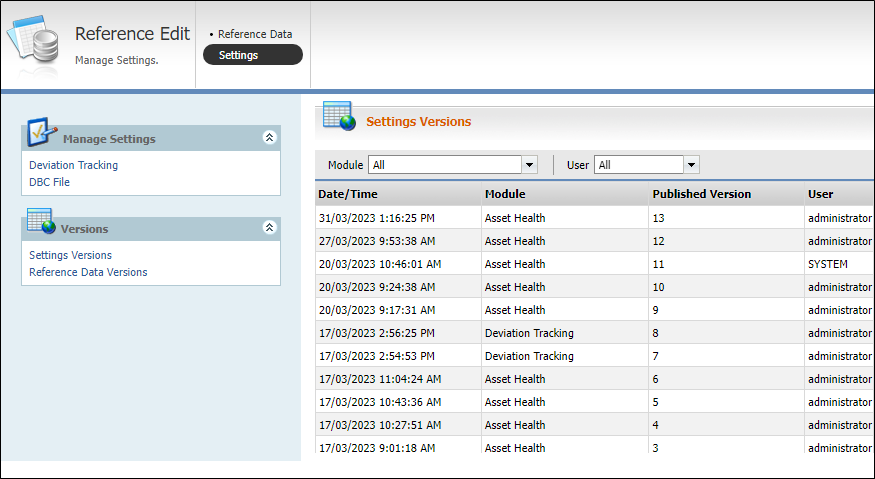
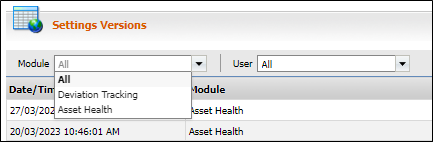
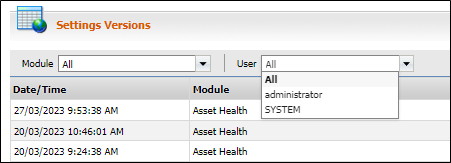
The Settings Versions grid displays information on each published version of the Asset Health and Deviation Tracking data, including the Date/Time of publishing, the Module, the Published Version number and the User responsible for publishing the instance.
If you select a Module from the drop down list, the summary for that module will be displayed in the grid.
If you select a User from the drop down list, the summary for that user will be displayed in the grid.
Reference Data Versions
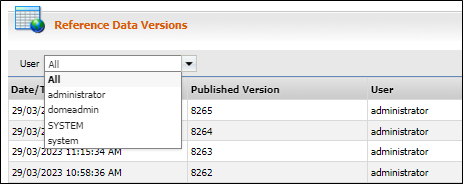
The Reference Data Versions screen displays historical information on the published Reference Data for the system.
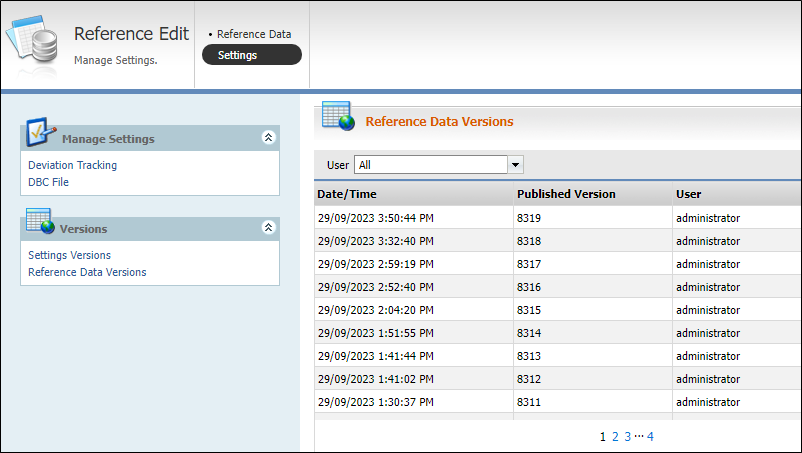
The Reference Data Versions grid displays information on the Date/Time of the version, the Published Version number and the User responsible for publishing the version.
If you select a User from the drop down list, the summary for that user will be displayed in the grid.