Allocate an operator to equipment
There are several ways to allocate an operator to equipment:
- When equipment units are displayed in a panel, click on the Operator icon in the equipment pane and select Allocate Primary Operator or select Allocate Secondary Operator.
Navigate the menu to select the Crew and the Role of the Person you want to allocate.

(You can also allocate a primary operator when you select Enter Multiple Events)
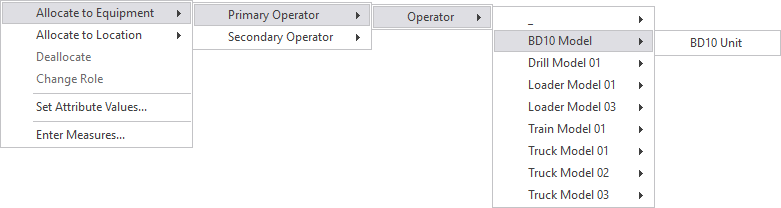
- Allocate an operator to equipment directly from the People pane, using the right-click menu:
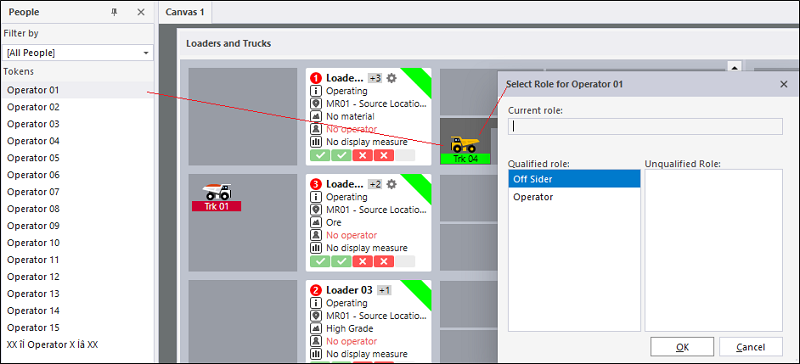
- Allocate an operator to equipment by dragging and dropping a person's name onto the appropriate equipment icon or pane.
You will be prompted to select a Role:
- Select View | Person Allocation on the menu or click the Person Allocation button on the toolbar.
Use the Person Allocation Window to allocate and deallocate people to equipment and locations - this will typically be of use after a site meeting at the start of a shift.