Configure Token Navigators
The top left of the Data Acquisition window is the default location for a tabbed group of panes which show the data tokens (Equipment, Locations, People) that are active during the shift. You can group these tokens by attribute via the Tools | Configure Token Navigators menu option.
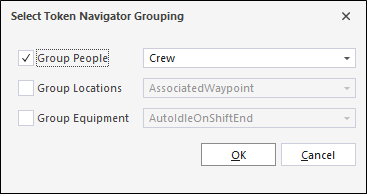
You can select a token type to be grouped using the check box provided - for example Group People. The corresponding drop down is used to select the attribute by which to group the token - for example Crew.
For more information on configuring the token navigators, see Attribute Grouping.