Import Canvases and Panels
The Tools | Import Canvases and Panels option is used to import a zip file containing exported canvases and panels configured for Data Acquisition. The exported information saved to the zip file is imported to load the canvases and panels as configured.
Note: Merging of panels and canvases is not supported, so importing a file will overwrite the existing configuration.
To import an export file,
-
Select the Import Canvases and Panels option.
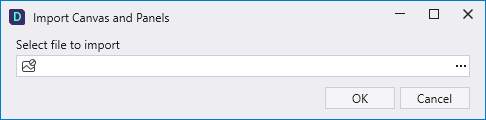
The following form opens:
-
Click the ellipses to select the import file.
-
Click OK to import the selected file.
The canvases and panels in the import file are loaded as configured for export.
To export canvases and panels, see Export Canvases and Panels.