Export Canvases and Panels
The Tools | Export Canvases and Panels option is used to export the canvases and panels you have configured for Data Acquisition. The exported information is saved to a zip file that can be imported for another user to load the canvases and panels as configured.
To export the current canvases and panels layout,
-
Select the Export Canvases and Panels option.
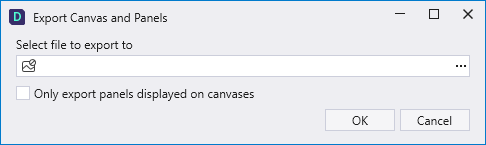
The following form opens:
-
If you select the Only export panels displayed on canvases option, open panels that are not displayed on a canvas will not be exported.
-
Click the ellipses to select a name and location for the export file.
-
Click OK to save the export file zip folder.
Files are exported to the selected location and then archived in the zip folder. All files are removed from the directory and included in the zip folder.
To import a canvases and panels export file, see Import Canvases and Panels.