Permissions
In the Info pane, select Other | Permissions to view permissions for the files in your library. You must be the owner of a file, or have administrator privileges, to be able to change file permissions.
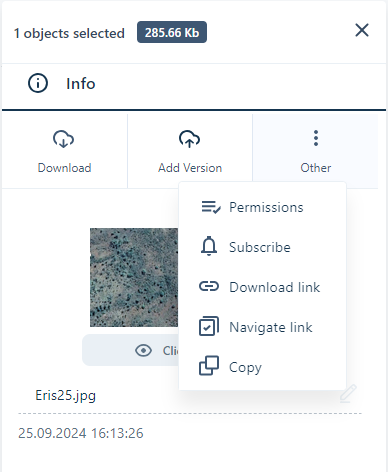
Selecting Permissions from the Other menu will open the Permissions page with the Users on the tenant and their granted permissions for the file:
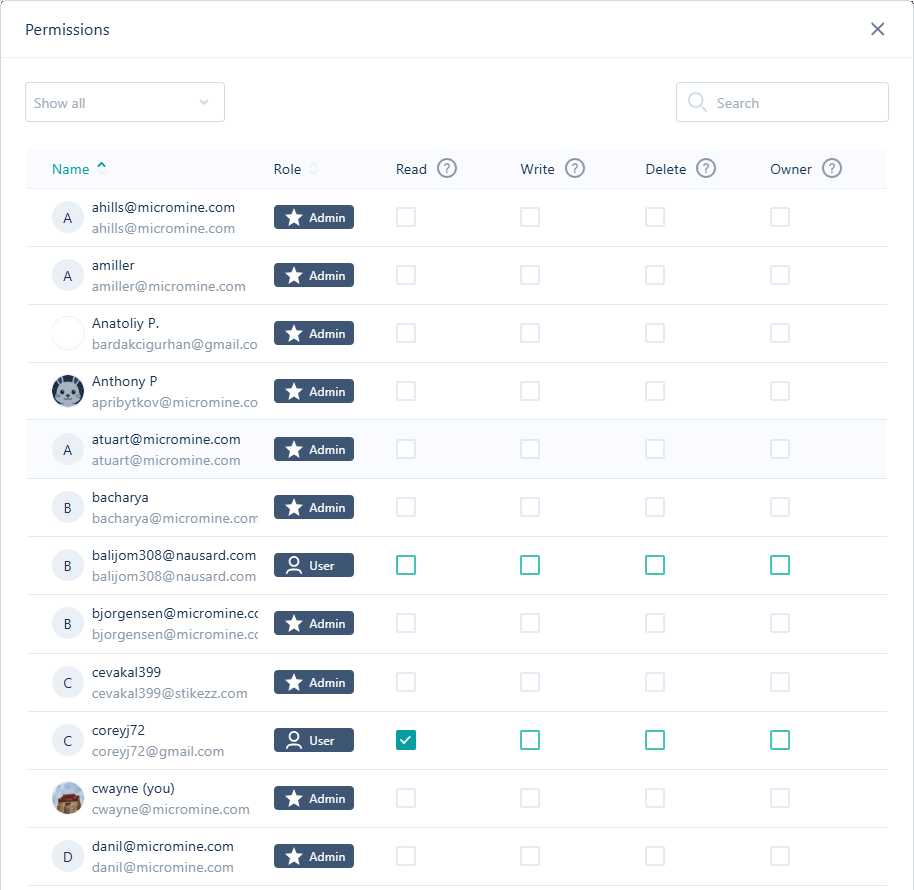
For objects where you have permission to do so, you can grant permissions to other users for the file - at the Read, Write, Delete and/or Owner levelsas follows:
| Permissions | Description |
|---|---|
| Read | You can view and download files, but you cannot upload, update or edit files, folders and projects or form sets. |
| Write | You can view, download, upload, update and edit files. You cannot delete files, folders or projects or form sets. |
| Delete | You can view, download, upload, update, edit and delete files, folders and projects. |
| Owner | You can view, download, upload, update and edit files, folders and projects. You can also manage permissions, object types and task types as part of Workspace Settings. |
To set access permissions for the current project, see: Project Settings | Permissions