Check Out
In the Info pane, select Other | Check Out to reserve a selected file or files for editing. While a file or object is 'checked out', no other user with access will be able to make changes to it across your workspaces and projects.
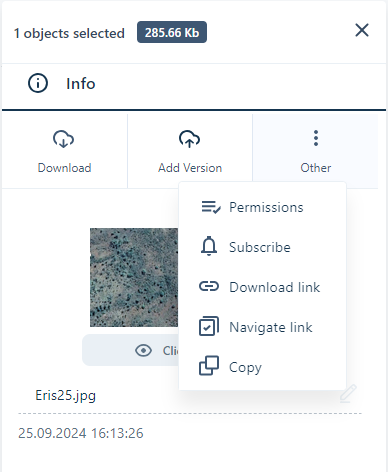
The Check Out option will be inactive for folders and files for which you do not have WRITE permission.
When you check out a file/object, the Check out comment dialog will be displayed. You can optionally enter a reason for the check out in the field and click Check Out.
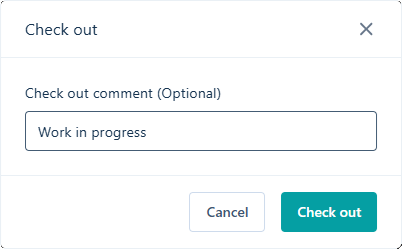
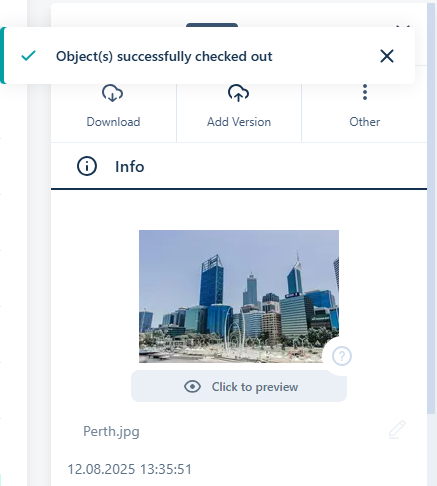
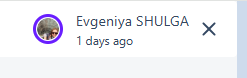
This will mark the selected file/object/s as 'checked out' and an information prompt will be displayed at the top of the Info panel:
An email notification will be sent to all subscribers to the object, including the comment in the email body. An email will be sent again when the file/folder is checked back in.
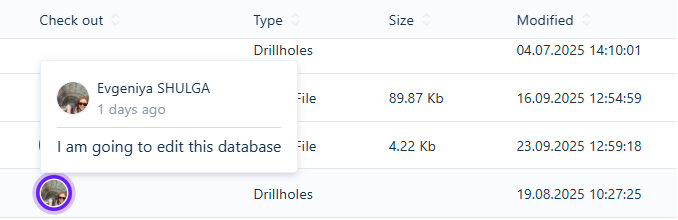
Where the file/folder is displayed (such as in the Project or Library), your User avatar will be displayed in the Check Out column to indicate that it is checked out to you. You, and other users, can hover on your avatar and see when you checked out the file/folder and any check out comment you entered.
Additionally, your avatar will be displayed as owner of the Check Out for the file/folder in the Object Page at the top right:
If the file you checked out is synchronised with Micromine Origin & Beyond, a lock icon will be shown with the status for the file in the application:

A pop up displaying the date and time of the check out, your user name and any comment you have entered will also be shown:

When you check out a file, only you can make any changes to it, regardless of other users with access. For this reason, you should only check out a file if you need to make changes that should not be overwritten, and you should return access to the file when you have completed the changes.
Checked out files will display the Check In option on the Info panel menu:
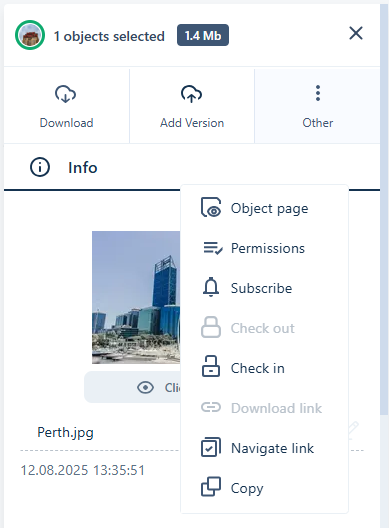
The file can be checked back in using this option. An email will be sent to subscribers of the object to inform them of the updated status. See Check In.