Updated Profile Detected During Synchronisation
If the synchronisation process discovers a different version of the logging profile on the server, the Synchronization Version Conflict prompt will be displayed.
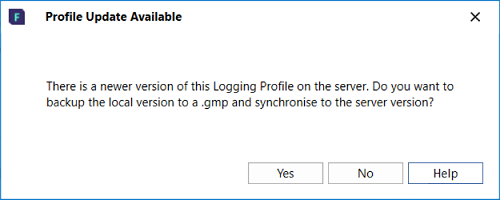
This will usually happen as part of a planned profile upgrade by your Micromine Geobank Administrator. New tables, columns, lookups rules or other changes may have been made to the profile on the server, so the local copy of the profile needs to be brought up to date.
The options in the prompt are as follows:
-
Yes: This will backup the local version of the logging profile with the correct structure and data and save it as <profilename>_backup_before_profile_update_<date-time>.gmp.Having the backup copy will allow you to restore missing records if necessary. This .gmp can be sent to your administrator if any concerns about data need to be addressed. The server version is then retrieved to update the local copy of the profile.
Updating the profile will:
-
Apply any changes which may have been made to the profile; such as new tables, columns, rules, initialisations, defaults, auto-advance settings, device integrations, lookups etc.
-
Preserve and synchronise any data captured on the local device since the last synchronisation, even if column or table names have been changed.
-
The only exception is if tables or columns have been removed from the logging profile. In this case, the administrator will need to retrieve any data pertaining to the removed tables or columns from the .gmp backup, if this data is still relevant.
-
-
-
No: This will cancel out of the synchronization process and make no changes to the profile. Extra exports, backups or copies could be done before re-synchronising to update the logging profile. See: The Micromine Geobank For Field Teams workflow