Logging Manager Admin
The Logging Manager Admin component of Data Transfer lets Administrators add, edit and delete logging manager links to be used with the Logging Manager for coal logging.
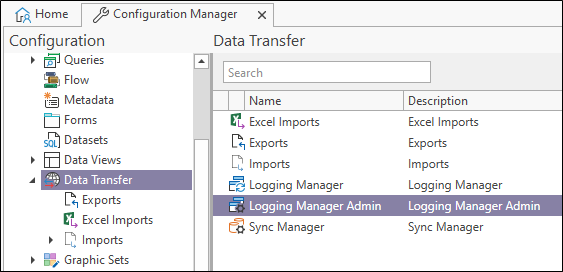
In the Configuration Manager, under Data Transfer, double click the Logging Manager Admin option to open Logging Manager Admin.
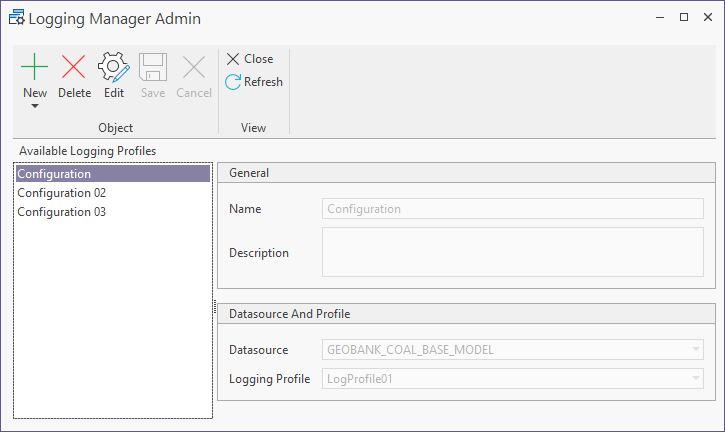
Logging Manager Links created in Logging Manager Admin can be synchronised with logging profiles in the Logging Manager.
The New button is used to create a new Logging Manager Link.
For information on creating Logging Manager Link in Logging Manager Admin, see Create Logging Manager Links.
If you select a configuration in the Available Logging Profiles panel at the left, and click the Edit button, you can make changes to the details for the link.
The Delete button can be used to remove a configuration display in the Available Logging Profiles panel. Links removed this way are not deleted, and you can return the details by creating a new link with an identical name.
The Refresh button will load the latest data from the central server.
Use the Close button to exit Logging Manager Admin.