Create Logging Manager Links
The Logging Manager Admin component of Data Transfer lets Administrators add, edit and delete logging manager links to be used with the Logging Manager for coal logging.
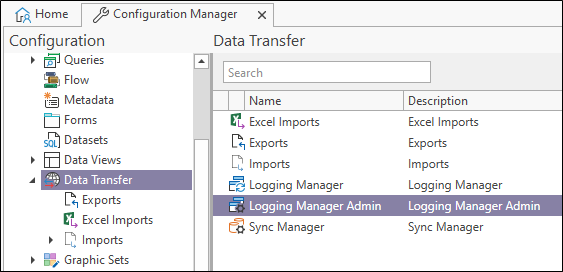
In the Configuration Manager, under Data Transfer, double click the Logging Manager Admin option to open Logging Manager Admin.
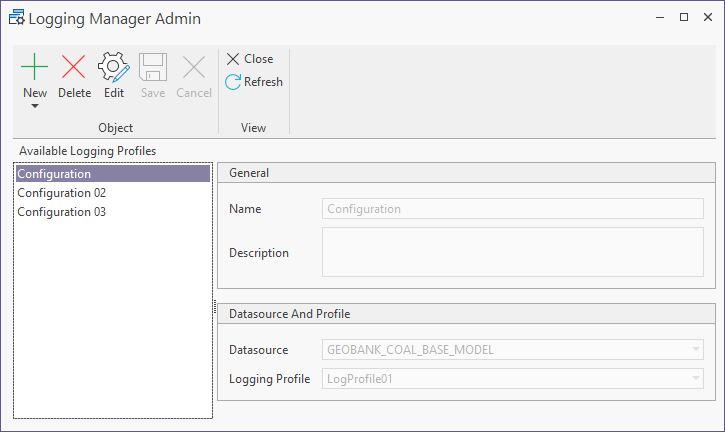
To create a new Logging Manager Link,
-
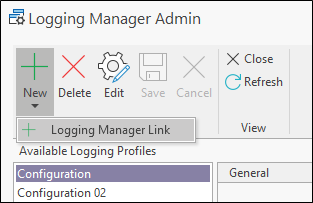
Click the New button and select Logging Manager Link.
-
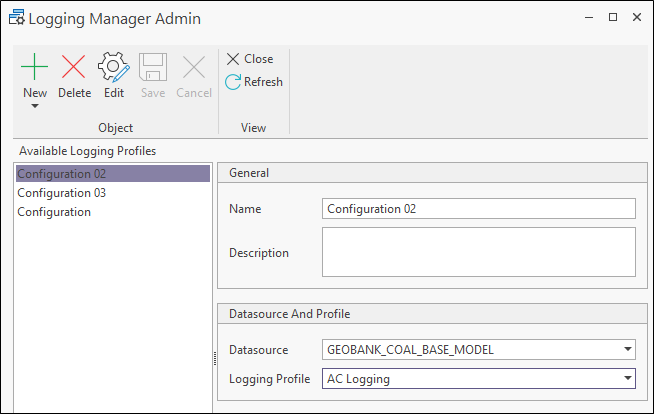
Enter a unique identifying Name for the logging manager link in the field provided.
-
Enter a Description for the link.
-
Select the Datasource for the link from the drop-down.
-
Select the Logging Profile for the link.
-
Click the Save button in the Logging Manager Admin ribbon to save the new logging manager link.
If you want to make changes to an existing link,
-
Select the available logging profile you want to edit from the panel at the left.
-
Click the Edit button in the ribbon to place the configuration in edit mode.
-
Make the required changes to the link and,
-
Click the Save button.
Similarly, to delete a link,
-
Select the link to be deleted in the panel at the left and,
-
Click the Delete button in the ribbon.
The Close button in the ribbon will close Logging Manager Admin and return you to the Configuration Manager.