Register Grid

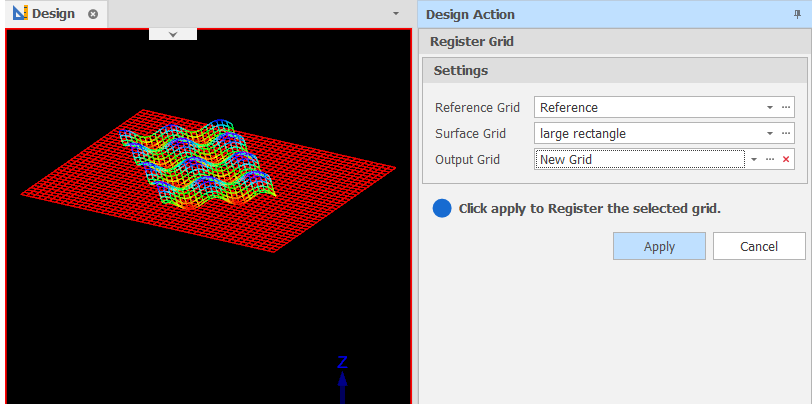
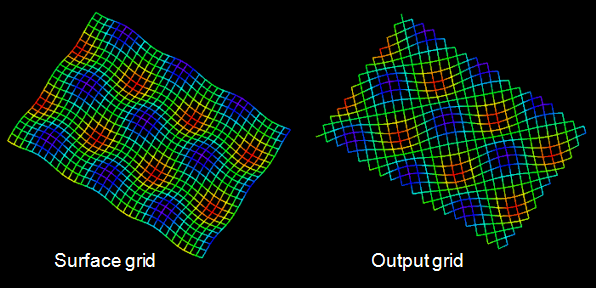
This utility will “register” the points of the reference grid onto the surface grid. The expected output should essentially be a grid with the same origin, spacing and rotation as the reference grid, but following the contours of the surface grid.
-
Use the drop-down controls to select the Reference Grid (the input grid to register from) and the Surface Grid (the target grid to modify via the registering process).
-
Use the drop-down to select an Output Layer.
Tip: You can right-click on a folder in the Layer Selection pane to Add a new layer.
-
Click Apply to register the selected Surface grid.
-
Open the Output Layer to view the registered grid. :
If necessary: On the Design tab, in the Action group, click Undo (CTRL + Z) and Redo (CTRL + Y) to undo and redo (revert) the last action.

