Importing Default Auxiliary Signals and Integration Commands
The default Integration data groups can be imported together using the Reference Edit service.
Note: All Integration reference data groups must be deployed for the option to be enabled.
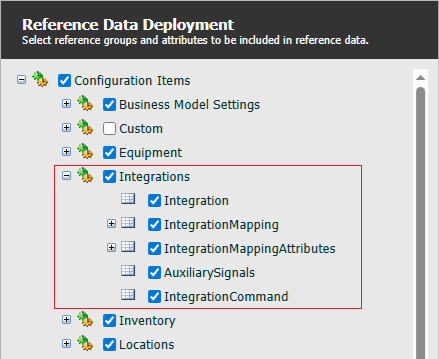
When the relevant reference data groups have been deployed, to import the Default Auxiliary Signals and Integration Commands, in Portal;
-
Open the Reference Edit service.
-
From the Other Actions drop down, select Load Default Auxiliary Signals and Integration Commands.
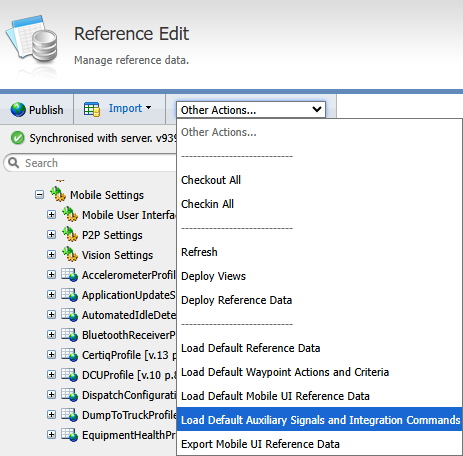
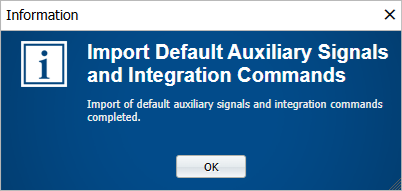
The default data will be loaded and the application will prompt you when complete.
-
Click OK to close the prompt.
To view the imported tokens, in the Reference Edit service,
-
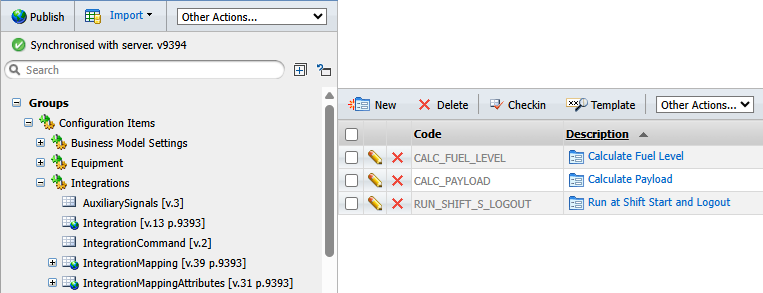
Navigate to Configuration Items > Integrations.
-
Select AuxiliarySignals.
The Auxiliary Signal tokens are displayed in the table at the right.
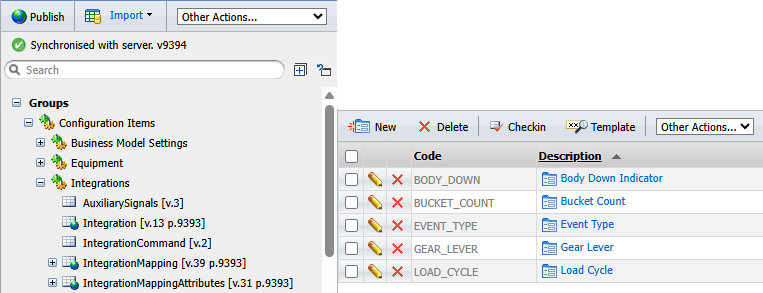
Integration Commands can similarly be viewed from Configuration Items > Integrations > IntegrationCommand.
For information on creating and configuring integrations for Pitram, see: Integrations