Deploy the WeighbridgeProfile
Once a Weighbridge profile has been defined, it can be deployed:
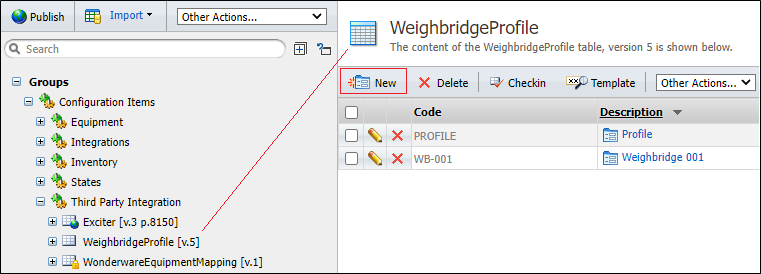
- In Reference Edit, click on Groups | Configuration Items | Third Party Integration | WeighbridgeProfile.
- Click Checkout on the toolbar to make the reference group read-write.
- Click on New WeighbridgeProfile on the workspace header.
- Define the WeighbridgeProfile. For example:
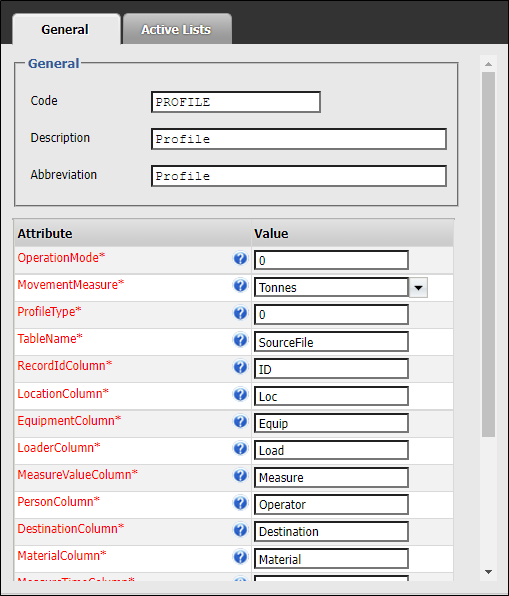
It is recommended that the Code of a token be entered in uppercase (for example, Code = PROFILE). This is required for some of the Pitram validation tests.
- Click OK to save the changes.
- Click Checkin to make the reference group read-only.
You have deployed the WeighbridgeProfile. The next step is to deploy the equipment, location and material WeighbridgeID attributes. See: Define WeighBridgeID attributes.