Select View | Events to toggle the display of the Events pane on and off. When this option is selected, an Events tab is available for selection in the Information pane.
An event is a time stamped record in the database. The time recorded is usually the computer system time. If the company's computer server is unavailable, the time recorded is the Control Room Operator's computer system time.
Each event is a record of an activity or change of status that occurs on site during a shift. A full timetable of all the activities from the start of shift through to the end of shift, including all the people, equipment and location changes that occurred, are recorded.
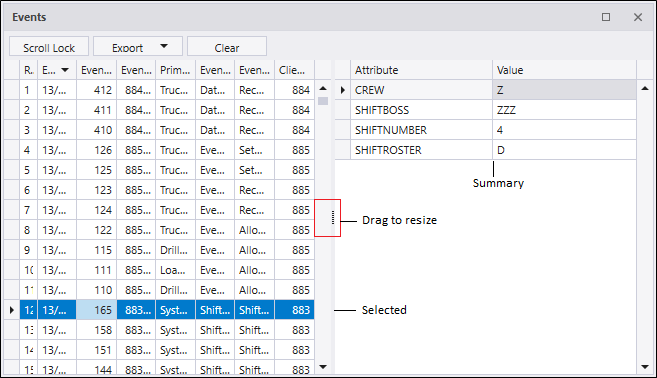
When you select an event in the Events panel at the left, a summary of the event is displayed at the right. You can adjust the width of the columns in the Events pane by dragging the control in the centre scroll bar left to right.
The Scroll Lock button is used to toggle between scroll and non-scrolling mode.
You can export the contents of the Events pane as a PDF, XSLX or CSV file using the Export button.
If you click the Clear button, the event history displayed in the pane will be cleared.