Permissions
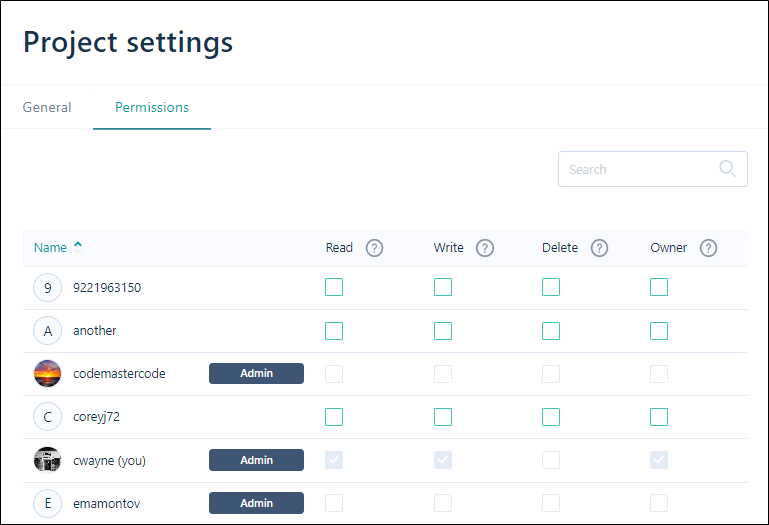
Permissions allow you to control who has access to the files and folders in your Nexus workspaces and projects. Owner, Write, Delete and Read privileges can be set for individual users or user groups.
Ownership confers FULL ACCESS to the workspaces, projects, folders, files and tasks created by the owner.
All users who have been granted access to a workspace are given READ/WRITE access to the projects, folders, files and tasks in that workspace by default; however owners and administrators may limit access to particular projects, folders, files and tasks.
To view user access permissions for the current project:
-
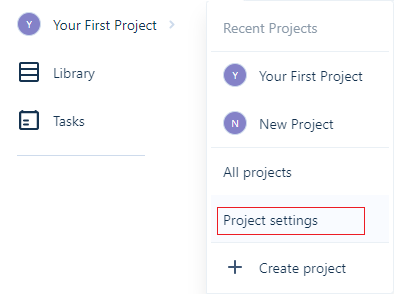
From the Navigation menu: Click on <the name of the current workspace>.
-
Select Project Settings.
-
Click the Permissions tab to view your user access permissions for the current project.
Edit
You must be an administrator or the owner of the project to be able to edit user permissions.
To modify the permissions for a user,
-
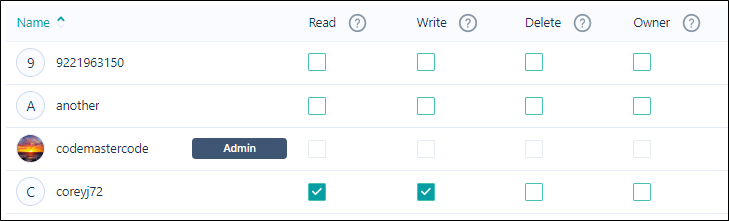
Select or deselect the Read / Write / Delete / Owner check box for the user or user group to grant or deny the specific permission for the project.
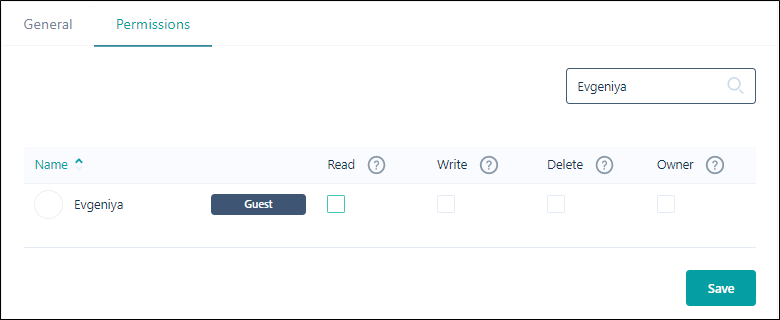
You can use the Search field to search for a user account (User, Admin or Guest) in the Permissions list. The list will be filtered by any text you enter.
Save
Click Save to save your changes.