Manage Users
To manage the users in a group:
-
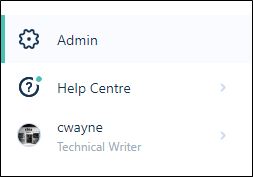
On the Navigation menu, click Admin to open the Administration window:
-
Click to select the Users tab.
-
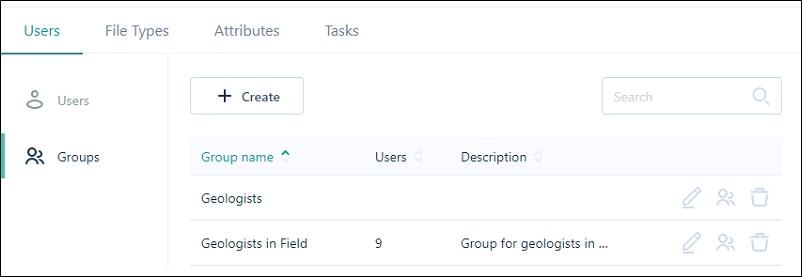
Click Groups to switch to the Groups pane. Any groups that were previously created are listed:
-
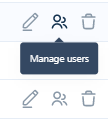
Click on the Manage Users icon at the far right of a group row:
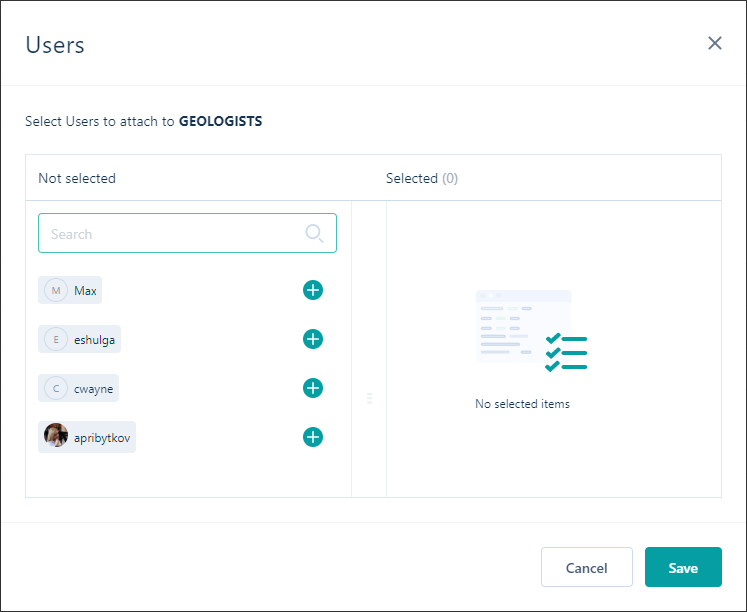
A User Selection dialog is displayed:
Not Selected
The users who have been configured on the Users tab of the Administration window, are available for selection in the Not selected pane. Click on the Add icons to move them to the Selected pane.
Selected
The users that you have added as members of the group are listed in the Selected pane. Click on the Trash can icons to remove them. This moves them back to the Not selected pane.
Save
To save your changes and exit, click Save.