Restrict with DTM
Select the Restrict with DTM option to decompose blocks based upon whether the blocks are above or below an existing DTM. No blocks will be created outside of the DTM.
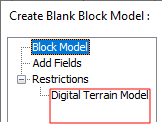
A "Digital Terrain Model" page is available on the Navigation tree at the left of the Create Blank Block Model form:
Each block centre point in the block model file is projected onto the DTM. The Z value of the centre point is compared to the Z value of the DTM. The value written to the Code field for that point depends on whether the point is above or below the DTM.
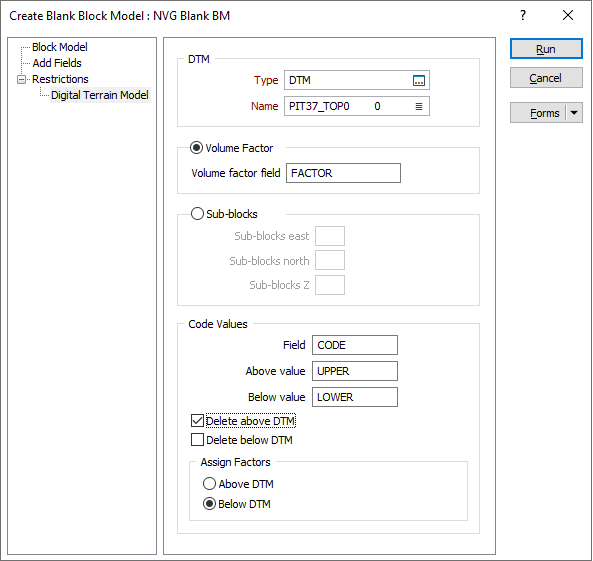
DTM
Select a wireframe type, typically DTM, then click on the List icon to select the Name of the DTM that will be used to restrict the block model.
Volume Factor
By default, the Create Blank Block Model function performs a volume factor calculation.
Volume factor field
Enter the name of the Volume factor field. The portion of each block that falls above or below the DTM will be written to this field.
Sub-blocks
Sub-blocks East, North, Z
If you selected Sub-blocks as the method, enter the number of blocks, in each direction, into which the block will be subdivided. The maximum number of sub-blocks is 25. The more sub-blocks there are, the more accurate the assignment will be - at the expense of processing speed.
If the volume factor is not 2 or 4 or 5 or 8 or 10, then block size fields should have at least 5 decimal places, otherwise 3 decimal places.
Code Values
Code Field
Specify the name of the Code field and the Above values and Below values that will be written to the Code field to denote whether each block falls below or above the DTM.
Delete Above/Below DTM
Specify whether blocks above and/or below the DTM will be deleted from the blank output file.
Assign Factors
If you selected the Volume factor option, specify whether volume factors will be written to those blocks above the DTM, or below the DTM.