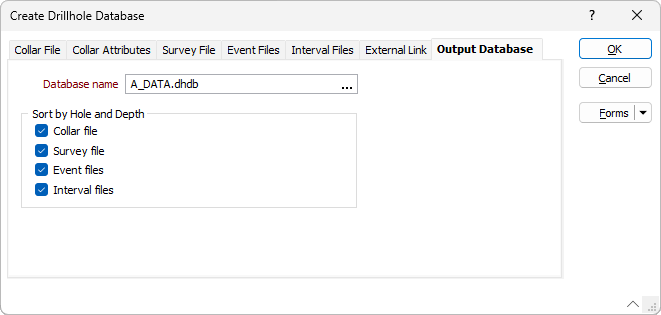
Output Database
The Output Database tab is visible when you create a new database.
Database name
Enter the name of the new drillhole database (or Output Database). Alternatively, double-click (or click on the ellipsis) to select from a list of databases in the current project.
You will be prompted to overwrite the database or cancel.
You can also press F5 to create a new database. Press F4 to edit a database you have selected.
Sort by Hole and Depth
Select the check box for each associated drillhole file for the database to sort by Hole ID and From/Depth - Collar, Survey, Event and/or Interval.