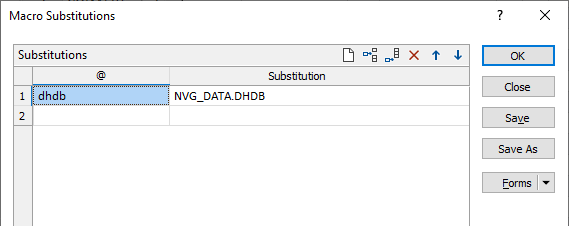
Project Substitutions

Alternatively: Нажмите на вкладку Проект, чтобы открыть фоновое меню и выберите Опции | Наборы форм.
Variables commonly used by the application are predefined as substitution parameters. You can also create your own substitutions for use in the current project.
@ Variable
Enter a name for the variable. Note that while you need to prefix substitutions with the @ sign when you reference them in a macro, in an expression or in a form, you do not need to include the @ sign when you add project substitutions here.
Substitution
Specify the value that will be substituted wherever the substitution variable name is referenced in the current project. This might be a numerical value or the name of a field or file. In this example, the name of a block model file in the current project is specified:
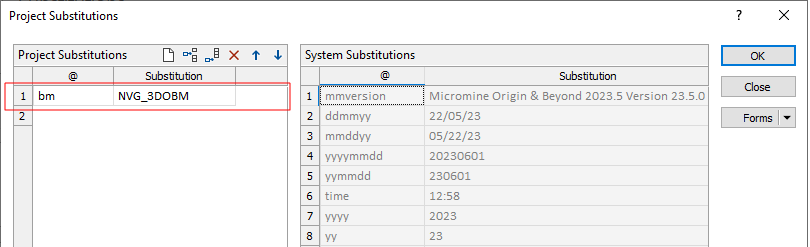
Project substitutions can be referenced in multiple places throughout the application, for example, in a macro, in an expression, or directly in a form as shown here:
System Substitutions
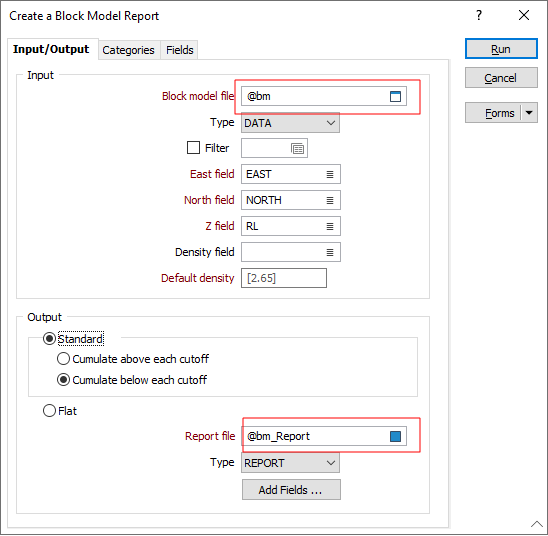
System substitutions (which exist for the current session) use system information and the metadata associated with a current user's session. Since they are "global" you can use them anywhere in the application where substitutions can be made, for example, in a Text Frame in a 2D or a 3D plot.
These substitutions are provided for easy reference in the right-hand pane:
| Параметр | Описание |
|---|---|
| @ddmmyy | Current date, e.g. 26/5/23 |
| @mmddyy | Current date, e.g. 5/26/23 |
| @yyyymmdd | 1Current date, e.g. 20230601 |
| @yymmdd | 1Current date, e.g. 230601 |
| @time | Текущее время, к примеру 12:34 |
| @yyyy | Текущий год, например 2010 |
| @mm или @month | Текущий месяц, например 11 или Ноя |
| @dd | Текущий день, например 23 |
| @project | Текущий проект, к примеру DEMO |
| @projdir | Текущая папка проекта, к примеру C:\PROJECTS\TEST |
| @projtitle | Текущий заголовок проекта, к примеру DEMO PROJECT |
| @username | Имя пользователя |
| @networkdomain | Домен сети пользователя |
| @licenceID | Номер лицензии приложения текущего пользователя |
| @licenseID | Current user's application license ID |
| @mmversion | Номер версии приложения текущего пользователя |
| @computername | Имя компьютера пользователя |
| @windowsversion | Версия ОС Windows пользователя |
1An all-numeric format allows these dates to be stored and sorted in a numeric field column.
Like predefined System substitution parameters, Contextual substitution parameters exist for the current session. However, they are not "global" since they can only be used in a particular context, for example, in the context of a Plot File, a Ring Design or Blast Design Plot, or the Drillhole Log, etc.
For a complete list of system and local predefined substitutions see: Заданные параметры подстановки
Substitutions can also be defined under Script | Macro Commands | Utilities | Substitutions Table. However, predefined substitutions do not need to be included in the table.