Ограничение при помощи ЦМП
Select the Restrict with DTM option to decompose blocks based upon whether the blocks are above or below an existing DTM. За пределами ЦМП блоки не создаются.
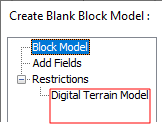
A "Digital Terrain Model" page is available on the Navigation tree at the left of the Create Blank Block Model form:
Центральная точка каждого блока в файле блочной модели проецируется на ЦМП. Значение Z центральной точки сравнивается со значением Z ЦМП. Значение, записываемое в поле кода для этой точки, зависит от того, где она находится - над или под ЦМП.
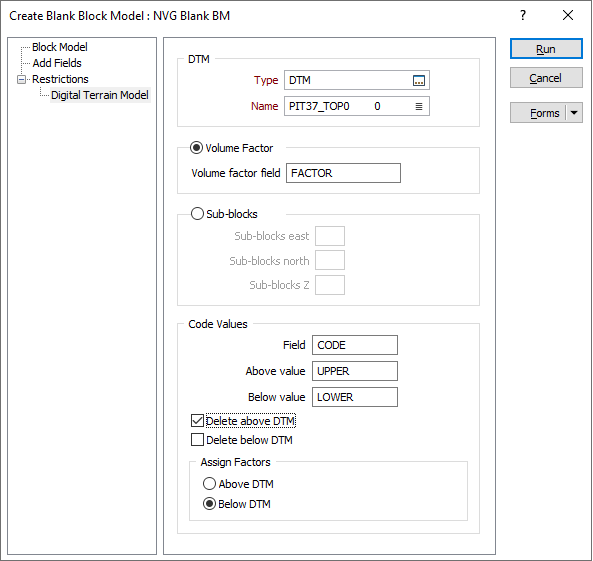
DTM
Select a wireframe type, typically DTM, then click on the List icon to select the Name of the DTM that will be used to restrict the block model.
Volume Factor
By default, the Create Blank Block Model function performs a volume factor calculation.
Volume factor field
Enter the name of the Volume factor field. В это поле записывается часть каждого блока, которая попадает выше или ниже ЦМП.
Sub-blocks
Sub-blocks East, North, Z
If you selected Sub-blocks as the method, enter the number of blocks, in each direction, into which the block will be subdivided. The maximum number of sub-blocks is 25. Чем больше разбиение, тем точнее будут присваиваемые значения - это будет происходить за счет скорости обработки.
If the volume factor is not 2 or 4 or 5 or 8 or 10, then block size fields should have at least 5 decimal places, otherwise 3 decimal places.
Code Values
Code Field
Specify the name of the Code field and the Above values and Below values that will be written to the Code field to denote whether each block falls below or above the DTM.
Delete Above/Below DTM
Укажите, будут ли блоки над и/или под ЦМП удалены из файла вывода.
Assign Factors
If you selected the Volume factor option, specify whether volume factors will be written to those blocks above the DTM, or below the DTM.