CAD

Input
File
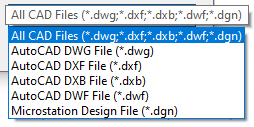
Click the Select icon to navigate to the location of the input file. Select the All Files option to list all compatible files. Alternatively, filter the list of files by choosing a specific file format:
Type
The following CAD file types can be imported:
| Format | File Extension |
|---|---|
| AutoCAD | DWG, DXF, DXB, DWF |
| Microstation DGN | DGN |
Layers
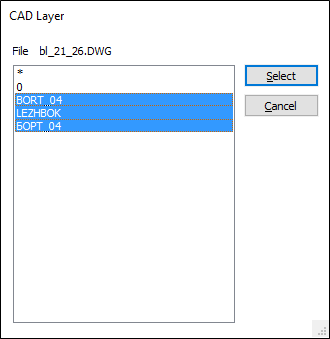
All layers will be imported by default unless you click on the ellipsis button to choose a layer or layers to import. To select multiple layers, hold down the CTRL or the SHIFT key as you select layers with the mouse.
To select all layers choose the wildcard (*) character.
Use the Points & Lines tab to import points and lines if the input file contains point and line features.
Use the Wireframes tab to import wireframes if the input file contains 3D solids that can be imported as wireframes.
Note: The Points & Lines and Wireframes tabs are enabled where the input file contains valid elements for import.
Run
Finally, click Run to begin the import process.