Implicit Modelling
This
 Lithology
Vein Network
Micromine Origin’s new Vein Network tool allows you to generate a series of vein solids in geological order. Simply define vein interactions and their order and Micromine Origin will produce individually booleaned veins and an entire vein network solid, as well as the complement solid. You are then able to use this output in the Geology Modeller for a more representative model.
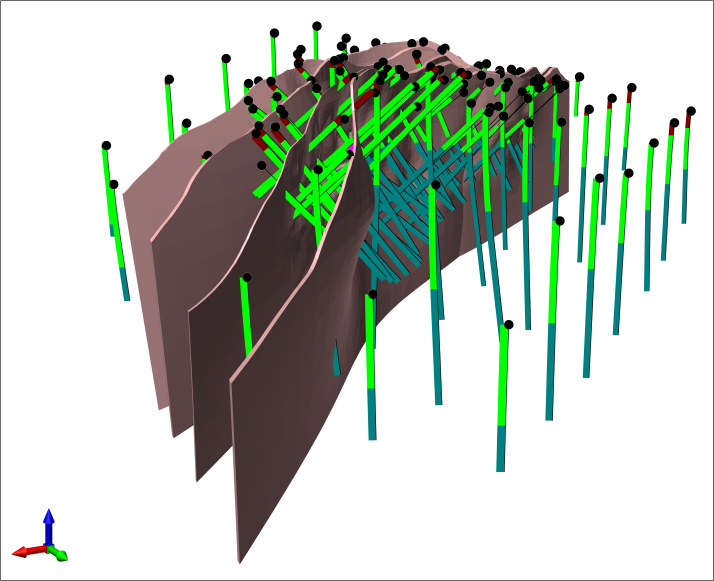
Improved Fault Modelling
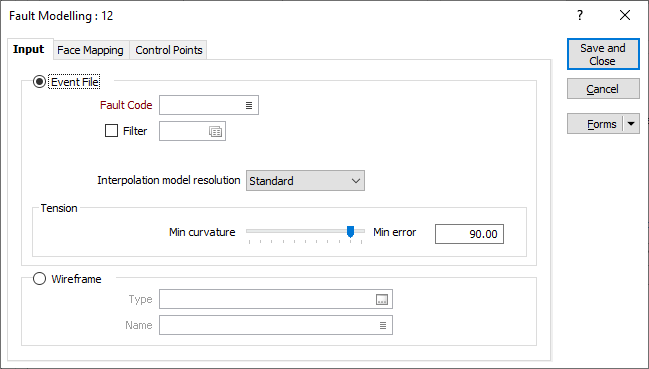
On the Implicit tab, in the Lithology group, when you select Fault to generate fault surfaces based on 3D points, the fault modelling algorithm has been improved to better handle polarity and generate smoother and more accurate outputs.
The same improvement has been applied to the fault modelling form set available in the Geology Modeller:
Numerical
Grade Histogram Chart Improvements
Improvements have been made to the Grade Implicit Modelling Histogram Chart display. You can now open a Histogram Config dialog to enter histogram parameters:
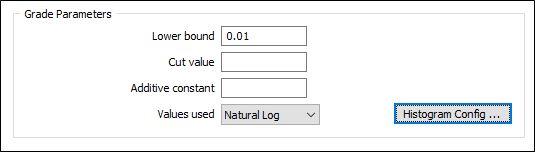
Layout and font changes have also been made to better display data. DPI scaling of labels has been improved, and space has been added to the chart to allow large numbers at the end of the x-axis while preventing clipping.
Log Transform Warning
A warning has been added to the Implicit Modelling Grade tool to notify users if Grade values less than or equal to 0 are found in the dataset when using natural log transform.
Grade values less than or equal to 0 are ignored when using natural log transform.
Indicator Modelling
The Indicator Modelling tool has been added to Implicit Modelling to provide the ability to generate indicator shells based on grade cut-offs.
The Indicator tool generates grade shells based on indicators (0 or 1) instead of actual metal grades. All values above a determined cut-off value will be assigned a “1” value and the rest will be “0. This approach removes any inherent bias by including higher grades, as all samples above the cut-off have equal value, thus result will be more representative of mineralised zones.
Structural
Structural Trend Accuracy
On the Implicit tab, in the Structural Trend group, or on the Block Model tab, in the Unfold Trend group, a new and improved algorithm for producing structural trend models is provided.
The new algorithm more accurately models and blends structural trends from multiple trend surfaces, making them suitable for use in resource estimates where the use of a variable search is advantageous.
Geology Modelling
New Lithology Model Types
Two new Lithology model types have been added to the Geology Model feature to enable the use of existing wireframe solids and associated Lithology codes.
-
The Generic Solid type utilises an existing wireframe solid and allows the user to specify associated Lithology codes which represent the solid.
-
The Vein Network Solid type utilises a series of vein solids in geological order. Lithological codes used to create the vein solid are automatically detected and accounted for in the Geology Modeller.
Use Existing Solids
The Geology Modeller has been enhanced to support the use of existing solids.
Existing wireframes can be selected using the new Vein Network Solid and Generic Solid model types. The modeller will assume that the supplied wireframes are at least as large as the extents of the Geology Model.
Miscellaneous
Domain Decomposition
For domain decomposition, the number of points per sphere is now calculated automatically based upon the input data. Unless a number is entered, the field defaults to [AUTO].
