Create Curve at intersection

(You can also select a Connect Strings by Curve) option from the same menu.)
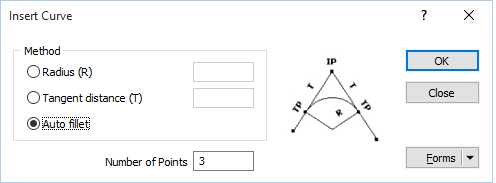
Method
Radius
Select this option to insert a curve by defining a radius. Optionally specify the number of points.
Tangent Distance
Select this option to insert a curve which is tangential to the selected point. Specify a distance to determine the length of the curve, and optionally the number of points.
Auto fillet
The Auto fillet option applies whatever fillet radius is needed to determine the arc of the curve.
Number of points
Specifying the number of points on the curved segment is optional. The number of points is calculated automatically when no value is specified.