Text

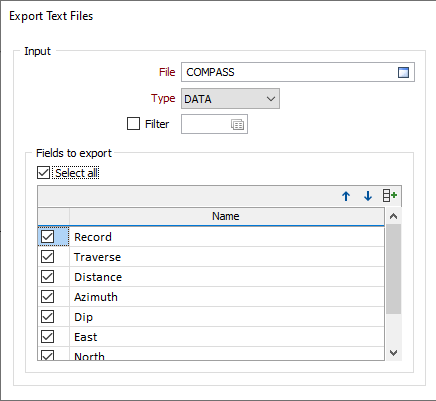
File
Specify the name and type of the source file and optionally apply a filter.
Fields to Export
Select the Select all check box to export all fields. To make a partial selection, use the check boxes in the grid to select or deselect fields.
Output
Text file path
Type the full path name of the output file. A new file will be created in that location.
Replace non-numeric and blanks
Type the replacement for non-numeric or blank characters found in numeric fields. If these options are left blank, non-numeric or blank values will be written to the output file.
Left justify
If you want to left-justify numeric fields select this check box (Note that this option only applies to a file format of 'Other'; the default is right-justified).
Options
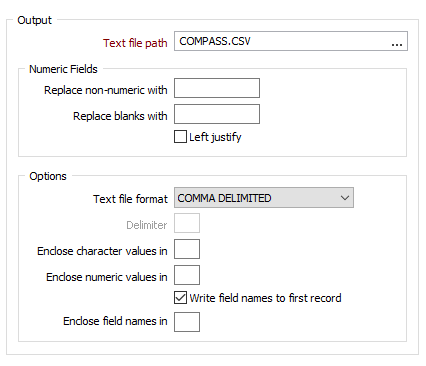
Text file format
Select a TEXT DUMP, SPREADSHEET or DELIMITED file format.
Files containing binary fields cannot be output as a TEXT DUMP. Choose a delimited format or use File | Utilities | Binary to ASCII to convert the Input file.
Delimiter
If you selected DELIMITED as the file format, enter a Delimiter character. Delimiters are ASCII characters used to separate one data field from the next.
Enclose character values and numeric values
Optionally, specify a character that will be used to enclose character and numeric values when they are written to the output file.
Write field names to first record
If you want to include field names on the first line of the output file, select this option.
Enclose field names
If the Write field names option is selected, optionally specify a character that will be used to enclose each field name on the first line.